FS25 RPM Work Mode V2.4.4.1

FS25 RPM Work Mode V2.4.4.1
Work RPM for Farming Simulator 25
Version 1.0.0.0 Release Notes
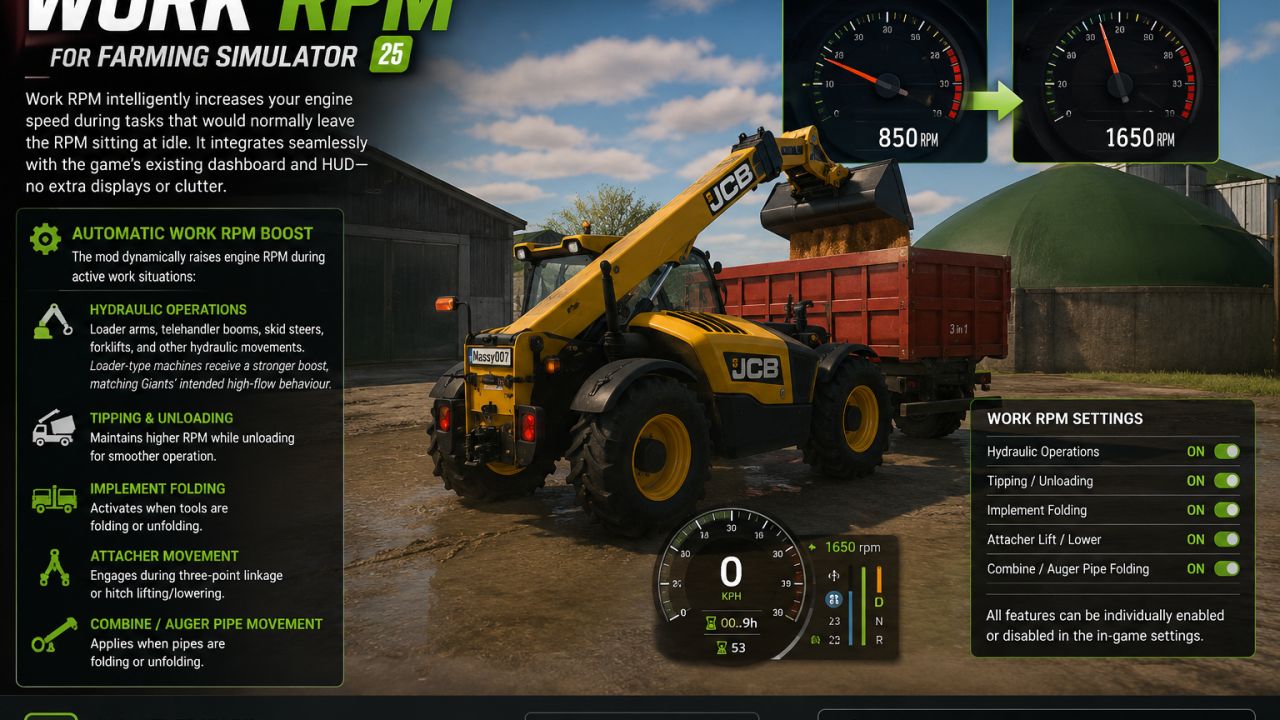
Work RPM intelligently increases your engine speed during tasks that would normally leave the RPM sitting at idle. It integrates seamlessly with the game’s existing dashboard and HUD no extra displays or clutter.
What It Does
Automatic Work RPM Boost
While you are in control of a vehicle from the cab, the mod dynamically raises engine RPM during active work situations:
Hydraulic Operations
Loader arms, telehandler booms, skid steers, forklifts, and other hydraulic movements.
Loader-type machines receive a stronger boost, matching Giants’ intended high-flow behaviour.
Tipping & Unloading
Maintains higher RPM while unloading for smoother operation.
Implement Folding
Activates when tools are folding or unfolding.
Attacher Movement
Engages during three-point linkage or hitch lifting/lowering.
Combine / Auger Pipe Movement
Applies when pipes are folding or unfolding.
Customisation
All features can be individually enabled or disabled in the in-game settings, giving you full control over how the system behaves.
Original Mod by kenny456 Reworked & Updated for FS25 by massy007
V2.4.4.1
New
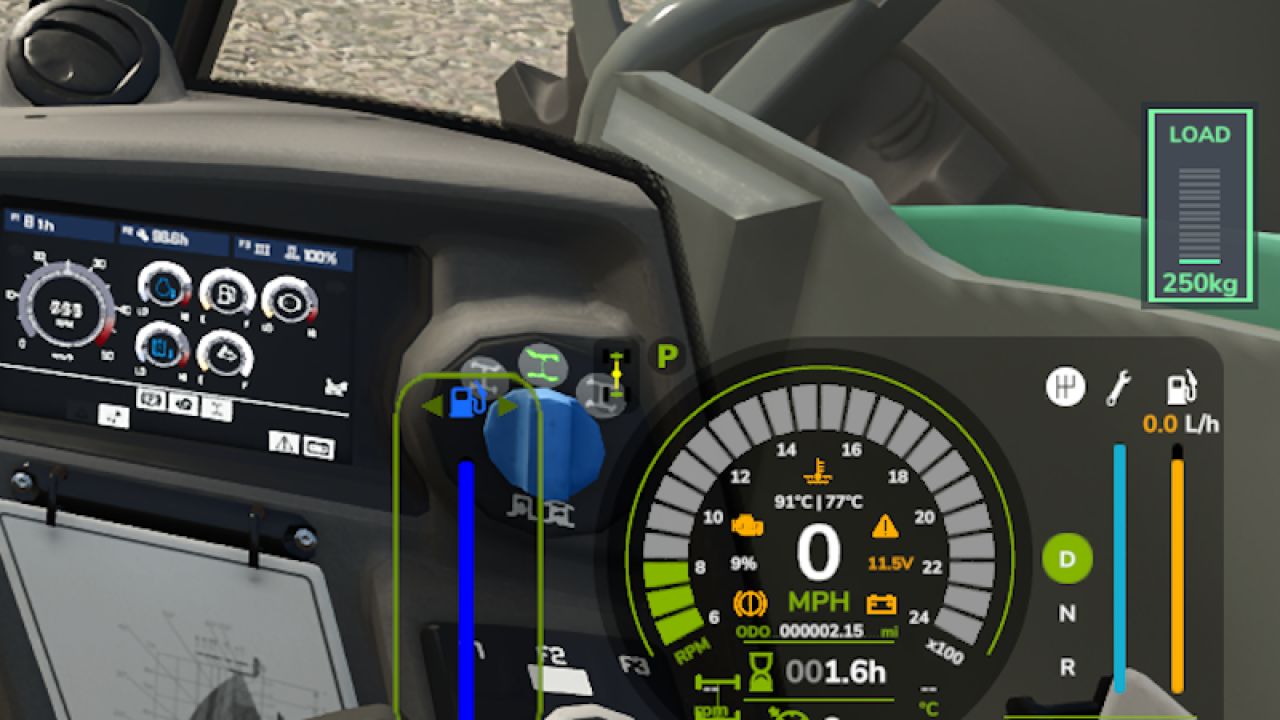
Added a new LOAD readout to the speedometer HUD for telehandlers and loaders.
Displays the live boom load in kg or tonnes.
Supports pallet forks, buckets and grab*.
Pallet forks now display the actual load weight, as they do not use a fill percentage.
Load indicator changes colour based on the current load:
Green: Light load
Orange: Heavy load
Flashing red: Overload
Added a vertical LOAD gauge, styled to match the stock fuel and damage bars.
Added a WORK RPM badge while automatic RPM boost is active.
Added separate **Game Settings*options for both new HUD features.
Added support for Kramer, Manitou, Merlo and other similar telehandlers.
Fixed
Fixed pallet forks showing no load on the HUD.
Fixed the LOAD display overlapping the gear icon.
Fixed the LOAD display appearing off-screen or incorrectly positioned on the cab dashboard.
Fixed Game Settings potentially disabling both HUD options when opened and saved.
Fixed tipper RPM boost continuing after the trailer was fully opened. Boost now only operates while the trailer is opening or closing.
Fixed various issues across the mod that could prevent features from working correctly.
The entire mod should now be fully functional and working as intended.
Yes… it actually works properly now‚
Improved
LOAD display is now positioned alongside the speedometer bars instead of underneath the instrument cluster.
Empty loader and telehandler booms now continue to display 0 kg, keeping the LOAD readout visible at all times.
Improved load-limit feedback for clearer monitoring while operating machinery.
General stability and compatibility improvements across the mod.
LM Modding Store, kenny456