FS25 Pallet Teleporter V1.0.0.0

FS25 Pallet Teleporter V1.0.0.0
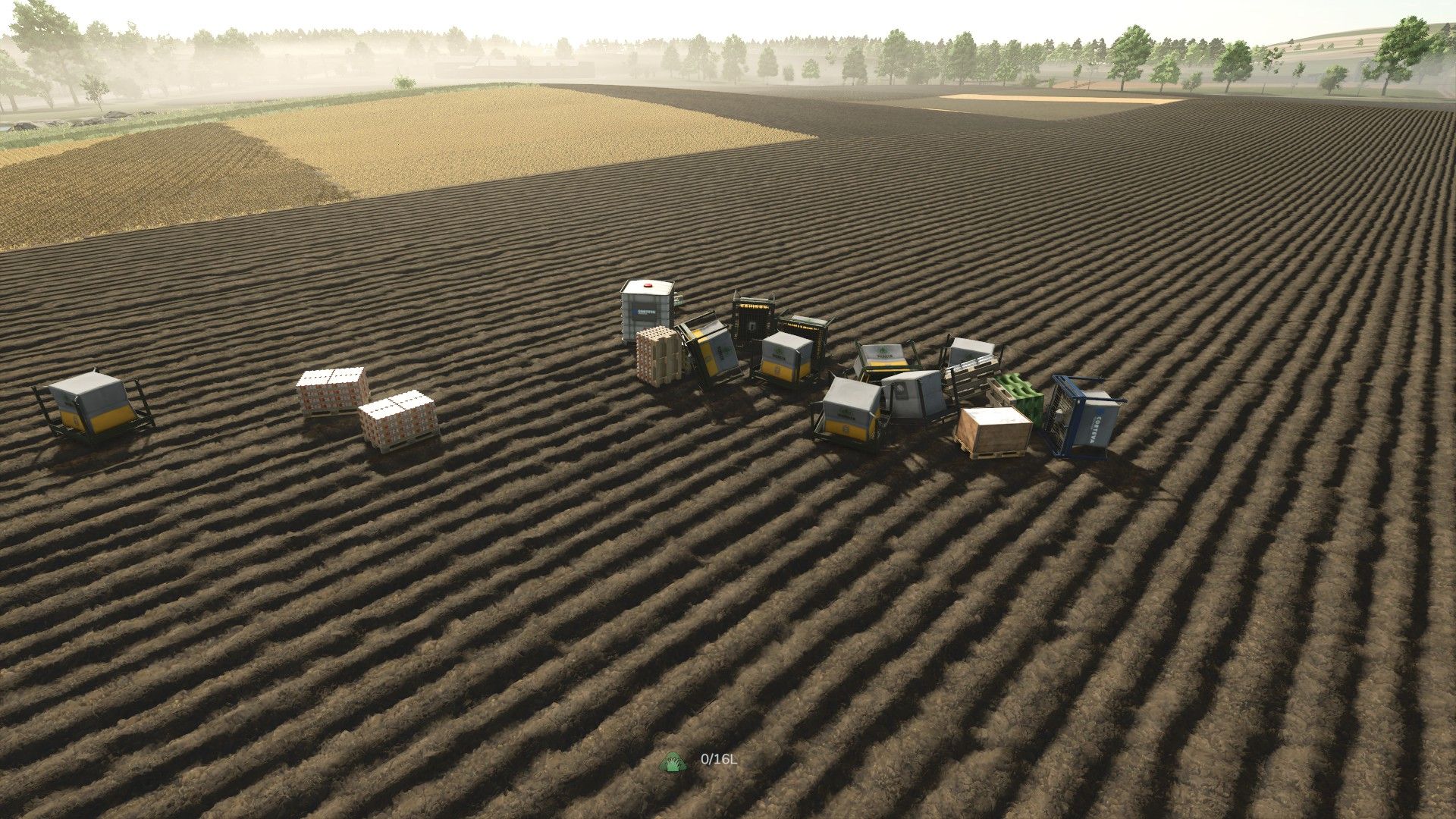
Pallets have a habit of ending up everywhere. A few at the greenhouse, a stack behind the sawmill, some at a production point you visited once, and a handful still sitting where you unloaded them three fields away. Collecting them means a long trip with a trailer and a lot of reversing.
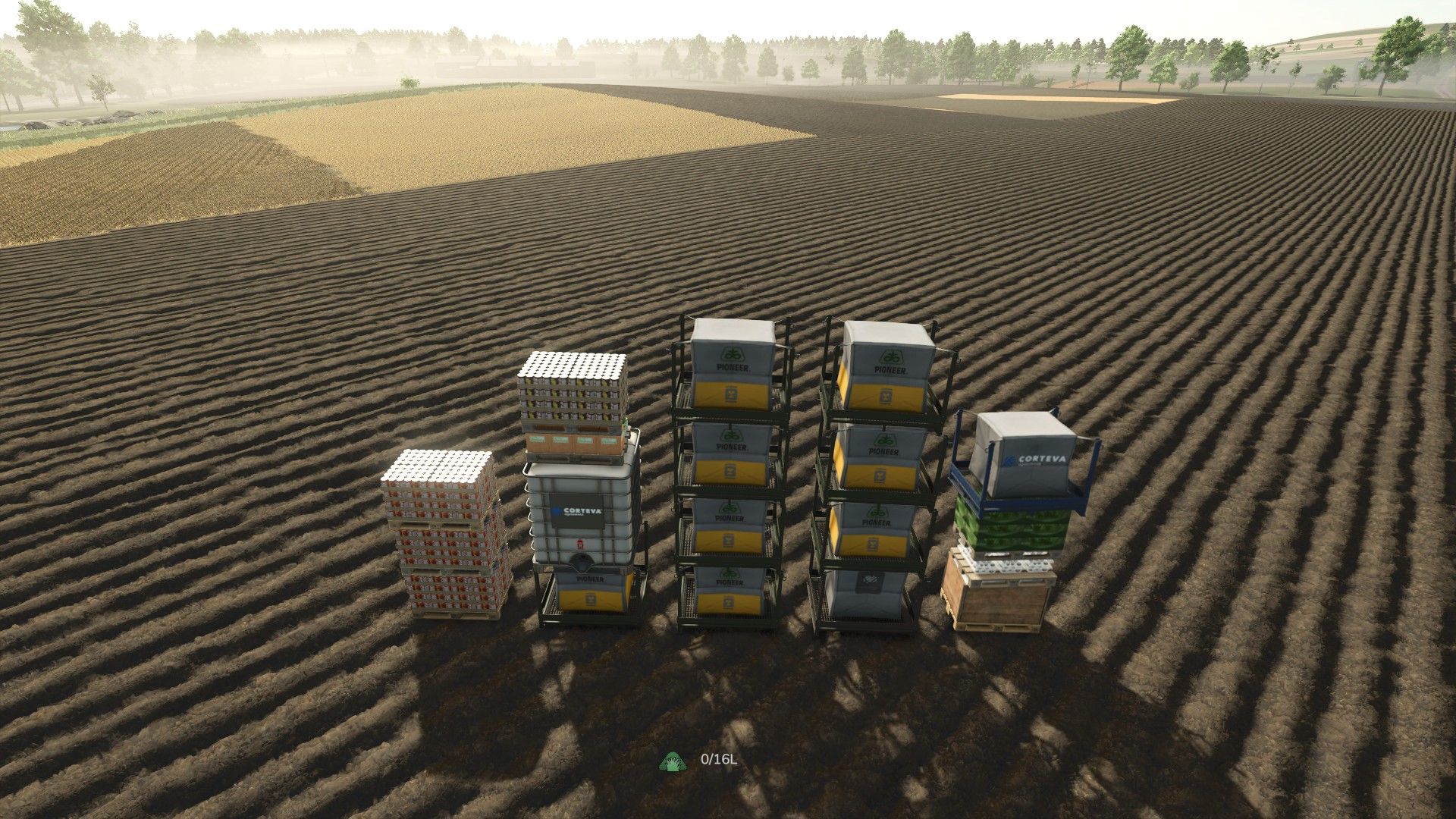
Pallet Teleporter replaces that trip with one keypress. Hit Alt + G and every loose pallet in the world is teleported in front of you and arranged into a neat grid of stacks, facing the same way you are – ready to load or sell in a single run.
It is a small, self-contained script mod. No store items, no map changes, no new gameplay systems: it simply moves pallets you already own.
HOW TO USE
Stand, or sit in a vehicle, where you want the pallets to end up.
Press Alt + G.
The pallets appear a few metres ahead of you, neatly stacked and aligned with your view direction.
A notification tells you how many pallets were moved and how many were skipped.
Repeat any time – newly produced pallets are picked up on the next press.
FEATURES
– Collects every pallet on the map at once: production pallets, big bags, tree sapling pallets and pallets added by other mods.
– Stacks them automatically – 4 pallets per stack, 5 stacks per row by default, both adjustable.
– Same pallet types are grouped together, so stacks come out uniform instead of mixed.
– The grid is centred on your view direction and always lands in front of you.
– Works on foot and from the driver’s seat. In a vehicle, the pallets are placed clear of the vehicle rather than inside it.
– Spacing is derived from the real dimensions of each pallet, so different pallet types never clip into each other.
– Pallets standing on a trailer are unmounted and teleported as well; this can be turned off if you would rather leave loaded trailers alone.
– Pallets currently held on forks or in a grab are left untouched, so nothing you are carrying gets ripped out of the machine.
– Pallets are moved with the game’s own positioning routine and taken out of physics for the move, so they land settled instead of shooting across the yard.
– Also available as a console command: ptTeleportPallets
CONFIGURATION
Open scripts/PalletTeleporter.lua in any text editor – the settings block sits at
the very top of the file:
– palletsPerStack – how many pallets go into one stack (default 4)
– gridColumns – how many stacks per row (default 5)
– spawnDistance – how far in front of you the grid starts (default 6 m)
– gridMargin – extra clearance between stacks
– stackGap – vertical clearance between pallets in a stack
– unmountMounted – whether pallets on trailers get unmounted and teleported
– debug – verbose logging to log.txt
CHANGING THE KEYBIND
In game: Options > Controls, look for “Teleport & stack pallets” and assign
whatever suits you. The default is Alt + G.
INSTALLATION
Drop the ZIP into:
Documents/My Games/FarmingSimulator2025/mods/
then enable the mod in the mod list.
REQUIREMENTS AND LIMITATIONS
– Farming Simulator 25, PC only – this is a script mod.
– SINGLEPLAYER ONLY. Multiplayer is disabled on purpose: moving other players’ objects safely needs network synchronisation this mod does not implement.
– No store items, no map edits, no savegame changes.
– Pallets held on forks or in a grab are skipped by design.
NOTES
This is a convenience mod: it only relocates pallets that already exist in your world. It does not create, duplicate or delete anything. If something misbehaves, set debug = true in the script and send me the “[PalletTeleporter]” lines from
Documents/My Games/FarmingSimulator2025/log.txt.
Grzybcios