FS25 Motor Load HUD V1.1.0.0

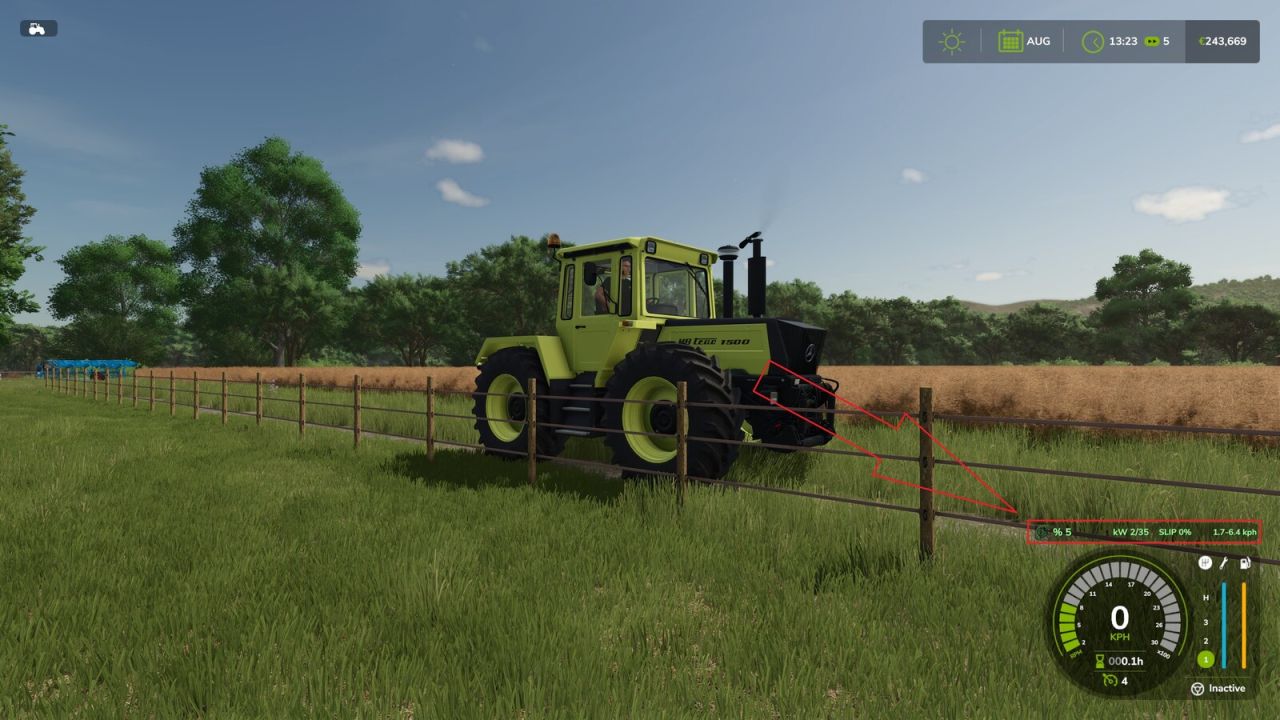
FS25 Motor Load HUD V1.1.0.0
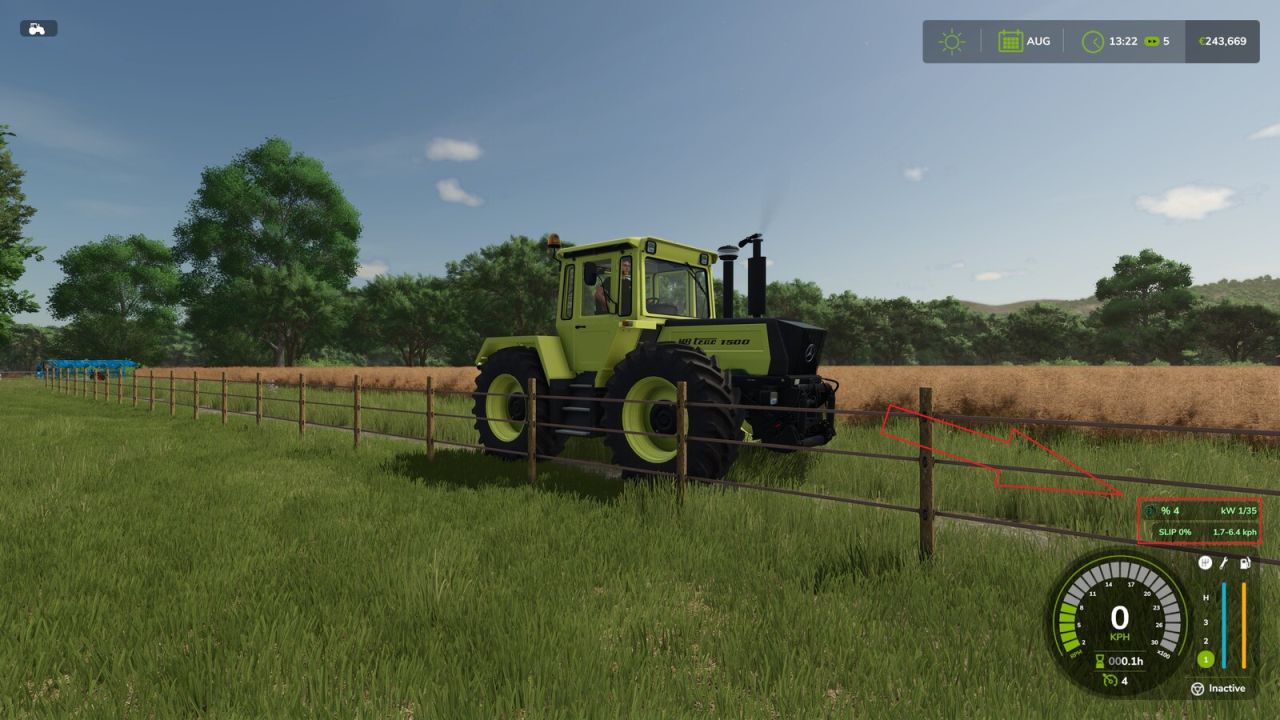
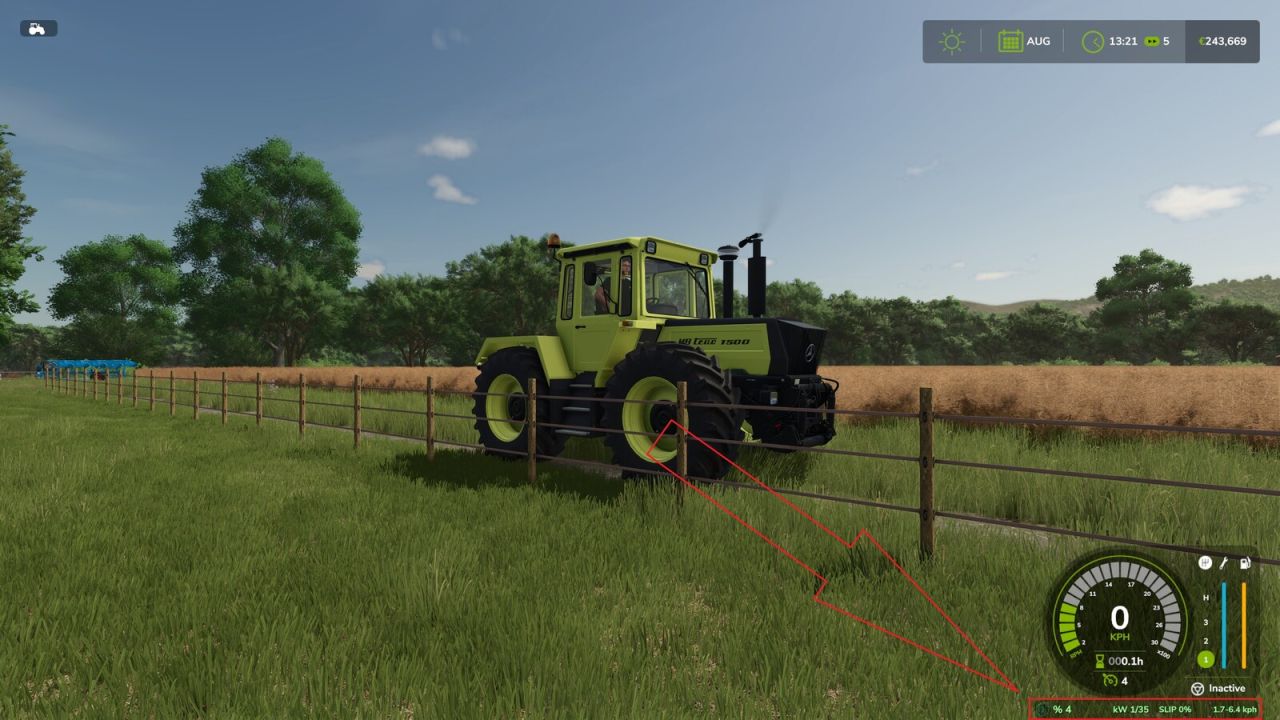
Motor Load HUD adds a compact information display while the player is seated in a motorized vehicle.
Displayed information:
Current engine load in percent
Estimated engine power currently being used
Available engine power at the current engine speed
Smoothed driven-wheel slip
Theoretical speed range of the current gear
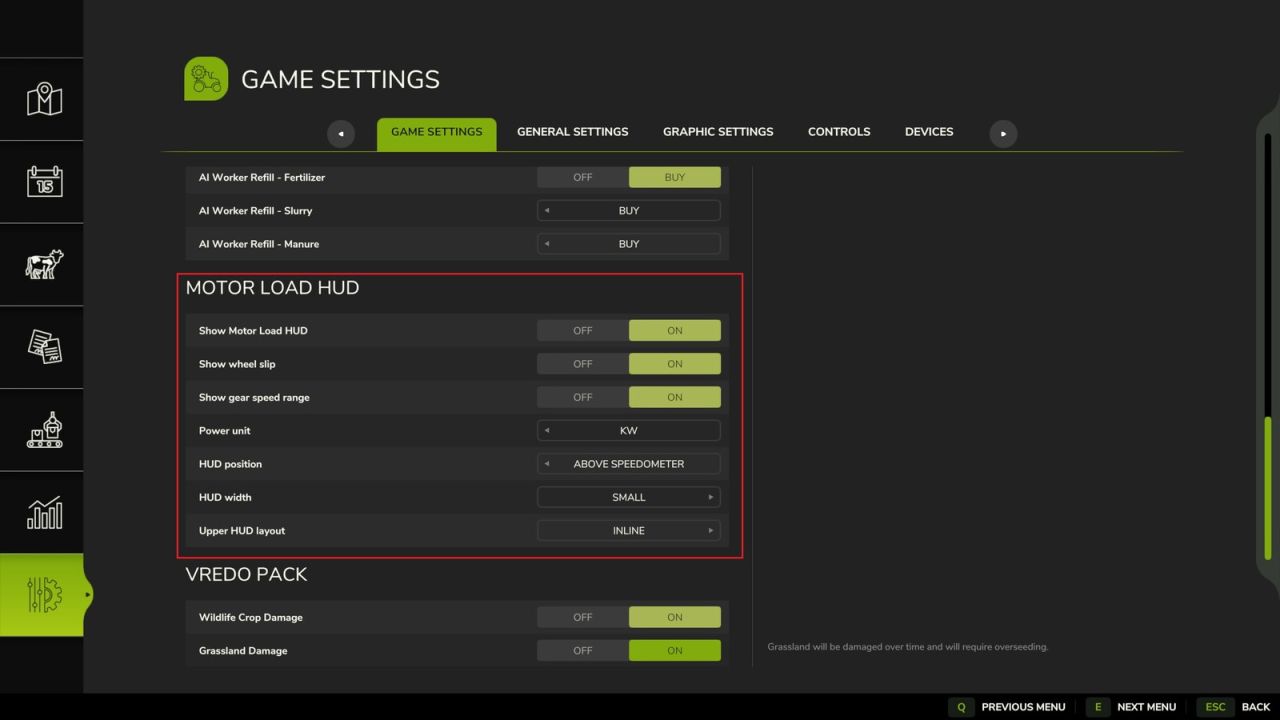
The following options are available in the general settings:
Show or hide motor load and power
Show or hide wheel slip
Show or hide the gear speed range
Display power in PS or kW
Position the HUD below or above the speedometer
Select a small or large HUD width
Display the upper HUD inline or in two stacked rows
When the upper position is selected, the original fill-level and fill-type display is moved upward automatically to prevent overlapping. The additional displays are linked to the standard in-game HUD and are hidden when the standard HUD is disabled.
The settings are stored locally for each player. The mod does not change vehicle performance, vehicle configurations or savegame data and is compatible with multiplayer.
Additional multiplayer information:
Motor load, power and gear speed range are available in singleplayer and multiplayer.
The wheel-slip display is synchronized for joined multiplayer clients; the server calculates the vehicle slip and sends the value to the respective player.
V1.1.0.0
Added multiplayer synchronization for the wheel-slip display.
Restored the personal HUD options on the General Settings page after the game update.
Moved all HUD options to General Settings so each player can configure the display locally.
Filtered out false wheel-slip peaks during initial acceleration and when coming to a stop.
Added separate settings for the motor-load, wheel-slip and gear-speed displays.
Added a PS/kW power-unit setting.
Linked the additional display to the visibility of the standard in-game HUD.
Added a smoothed wheel-slip display with green, yellow and red warning levels.
Added the theoretical speed range of the current gear with one decimal place.
Added positions below and above the speedometer.
The original fill-level display is moved upward automatically when the upper position is used.
Added small and large HUD width options.
Added inline and stacked layouts for the upper HUD position.
Improved the positioning and spacing of all HUD sections.
Dr.Fajen