FS25 LIZARD C-17 GLOBEMASTER v1.0.0.0


FS25 LIZARD C-17 GLOBEMASTER v1.0.0.0
Bring military air transport and heavy cargo operations to Farming Simulator 25 with the Lizard C-17 Globemaster III!
This large military transport aircraft is designed for transporting cargo, small vehicles, machinery and airport equipment.
Its spacious cargo compartment, animated rear loading ramp and custom flight system make it suitable for airport logistics, military transport missions and the transportation of small vehicles between different locations.
MAIN FEATURES
– Detailed C-17 Globemaster III aircraft model.
– Custom aircraft flight controls.
– Animated retractable landing gear.
– Animated rear cargo loading ramp.
– Animated side doors.
– Adjustable wing flaps.
– Interior and exterior cameras.
– Aircraft lighting system.
– Automatic navigation and landing lights.
– Custom jet engine sounds.
– Diesel consumption and refuelling.
– Ground towing connection.
– Landing proximity warning system.
CARGO TRANSPORTATION
The C-17 Globemaster III is designed to transport small vehicles, machinery and compatible airport equipment.
The aircraft includes a large cargo compartment with a rear loading ramp, allowing small vehicles and equipment to be driven or loaded into the aircraft.
Cargo transport features:
– Transportation of small vehicles.
– Transportation of compatible machinery.
– Transportation of airport ground equipment.
– Transportation of pallets and compatible cargo.
– Animated rear loading ramp.
– Cargo compartment floor collision.
– Six cargo securing straps.
– Cargo access through the rear loading area.
Small vehicles can be positioned inside the cargo compartment for transportation.
Cargo securing depends on the compatibility of the transported objects with the Farming Simulator 25 tension belt system.
The aircraft is not intended for transporting oversized vehicles that exceed the available cargo compartment dimensions.
FLIGHT CONTROLS
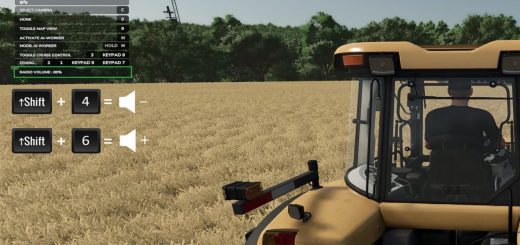
W / S: Accelerate and brake.
A / D: Ground steering.
Left Mouse Button: Climb.
Right Mouse Button: Descend.
Left Ctrl + G: Raise or lower landing gear.
Left Ctrl + R: Open or close rear cargo ramp.
Left Ctrl + D: Open or close side doors.
Left Ctrl + F: Adjust flaps.
C: Change camera.
F: Aircraft lights.
Cargo Straps: Standard Farming Simulator 25 controls.
The aircraft must be stationary and close to the ground to operate the cargo ramp and side doors.
The landing gear includes automatic operation near the ground.
AIRPORT GROUND HANDLING
The aircraft includes a towing connection for compatible airport pushback vehicles.
Ground handling features:
– Airport pushback connection.
– Compatible towing operations.
– Ground steering.
– Diesel refuelling.
– Aircraft navigation lights.
– Landing proximity warning.
VEHICLE TRANSPORT OPERATIONS
To transport small vehicles:
1. Park the aircraft on a suitable level surface.
2. Open the rear cargo ramp.
3. Drive or load a compatible small vehicle into the cargo compartment.
4. Position the vehicle securely inside the aircraft.
5. Secure compatible cargo using the available tension belts.
6. Close the rear loading ramp before takeoff.
7. Fly to the destination and land.
8. Open the ramp and unload the vehicle.
Vehicle stability during flight depends on cargo dimensions, weight and compatibility with the securing system.
AIRCRAFT SPECIFICATIONS
Price: €420,000
Engine power: 4,000 HP
Maximum configured speed: 250 km/h
Diesel capacity: 5,000 L
Aircraft length: 30 m
Aircraft width: 27.35 m
Aircraft height: 11.8 m
Cargo securing straps: 6
Version: 0.1.15.3
Brand: Lizard
Game: Farming Simulator 25
Multiplayer: Not supported
INSTALLATION
Download the ZIP file and place it directly in your Farming Simulator 25 mods folder.
Activate the C-17 Globemaster III in the game’s mod selection menu.
The aircraft can be purchased from the in-game vehicle shop.
FS25 Adaptation and Integration: Tiinguives81
Aircraft Model: Original C-17 source model.
Flight System: Adapted using the supplied Grumman aircraft reference.
Jet Engine Audio: Jud McCranie (Bubba73), Creative Commons Attribution-ShareAlike 4.0.
Additional Sound Effects: SFXMint, CC0 1.0.
Original audio credits and licence information are included in the mod files.
FS25 Adaptation: Tiinguives81
tiinguives81