FS25 GE10 Script – Ext. FieldToolkit (Prefab) V1.0.0.0

FS25 GE10 Script – Ext. FieldToolkit (Prefab) V1.0.0.0
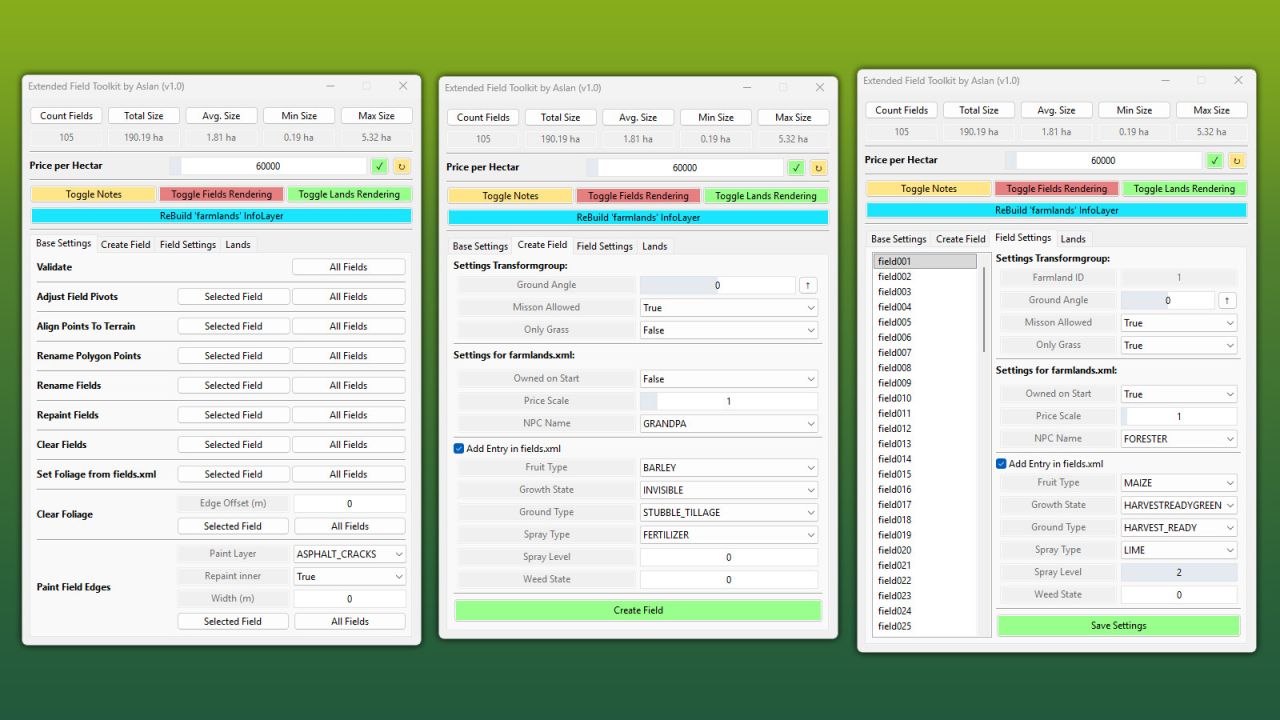
The Extended FieldToolkit expands the standard GIANTS FieldToolkit with a wide range of new features and an improved debug view, making it significantly easier to create and manage fields.
FEATURES:
– Create or edit fields entirely through the UI
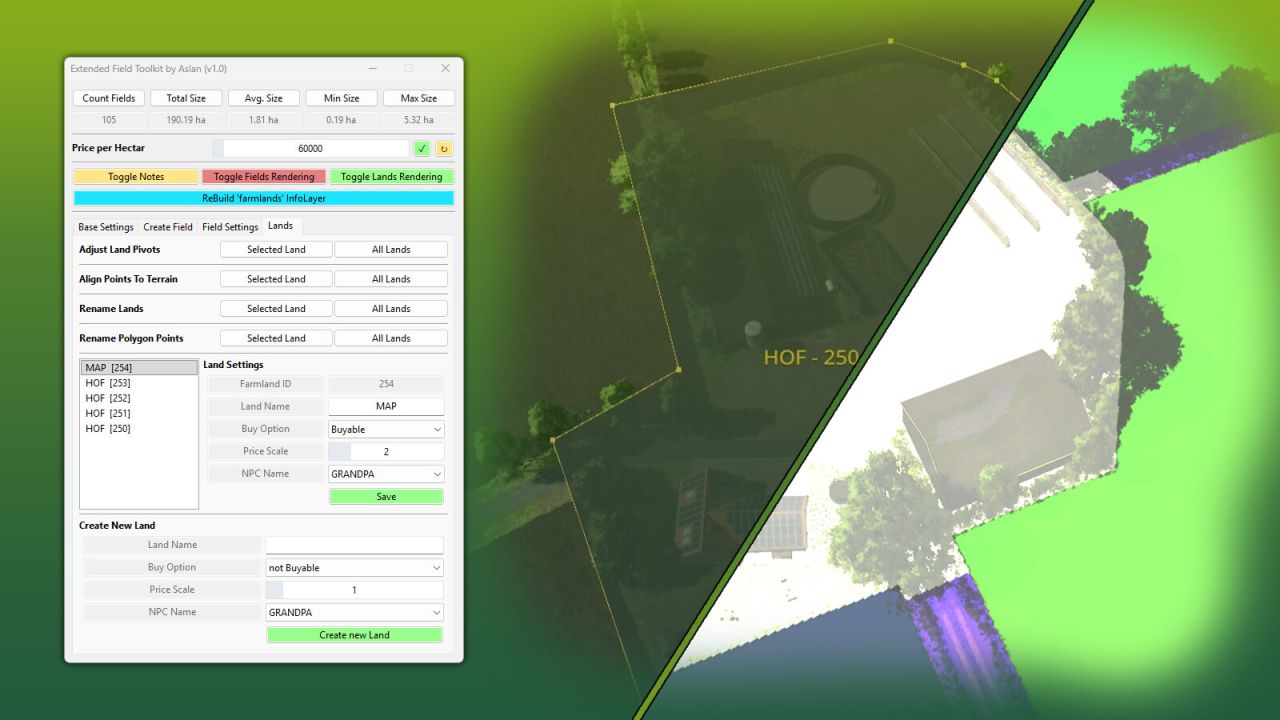
– Create and manage land parcels (e.g. farms, forests, lakes, etc.)
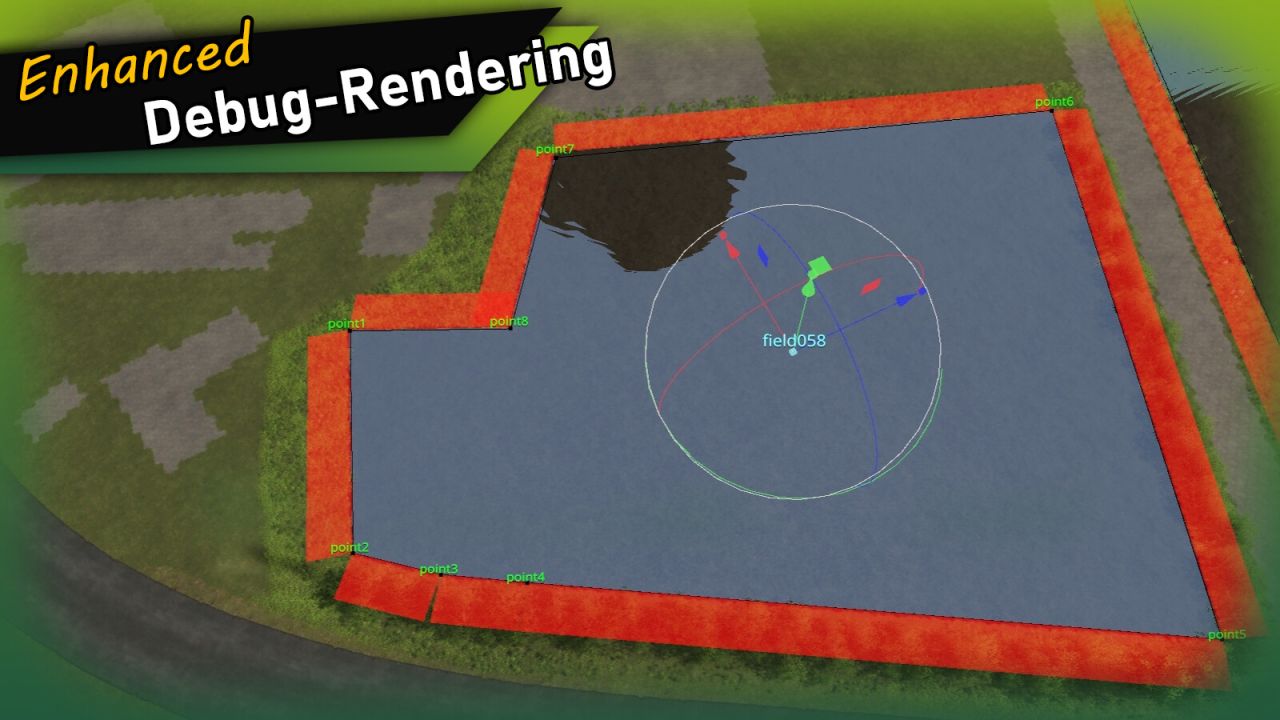
Debug View
– Field names are rendered in the 3D viewport at each field’s pivot position
– Polygon points and names are shown for the selected field
– Duplicate polygon vertices are highlighted
Tools
– Validate Fields: Checks all fields for misconfiguration, InfoLayer overlaps and missing attributes – with a clear [OK] / [WARNING] / [ERROR] output
– Adjust Field Pivots: Moves each field’s TransformGroup pivot to the area centroid of its polygon (correct even for concave fields)
– Set Foliage from fields.xml: Paints the fruits defined in fields.xml directly onto the fields
– Repaint Fields: Repaints all fields into the farmlands InfoLayer
– Clear Fields: Removes all fields from the farmlands InfoLayer
– Clear Foliage: Removes foliage from fields, with an optional configurable edge offset
– Paint Field Edges: Paints a chosen terrain texture along field borders, optionally inwards as well
– Rename Fields: Renames all fields with a consistent 3-digit numbering
– Align Polygon Points: Aligns all polygon points to the terrain height
– Field statistics (total area, field count) are displayed at the top of the window
INFO:
On first launch, the tool automatically adds the userAttribute “farmlandID” to all fields that don’t already have it. This attribute is used to determine farmland ownership and replaces the name-based approach used by the standard FieldToolkit.
Installation:
1.) Navigate to the GIANTS Editor AppData path. Default: “C:/Users/[USER]/AppData/Local/GIANTS Editor 64bit 10.0.XX/scripts/”
2.) Copy the file “FieldToolkitExt.lua” from the prefab into the scripts folder.
3.) The script will then be available in the GIANTS Editor via the menu bar under “Scripts”.
Aslan