FS25 CarboLime Prefab (Prefab) V1.0.0.3



FS25 CarboLime Prefab (Prefab) V1.0.0.3
Changelog 1.0.0.3:
Vehicle registration reworked completely: EVERY fertilizer and manure spreader in the game (base game and all active mods) now gets lime and CarboLime automatically – no allow-list, no i3d files and no storeItems.xml entries for individual vehicles needed any more
carboLimeVehicles.xml removed, replaced by the exclusion list carboLimeSpreaders.xml (opt individual spreaders out instead of in)
Added the missing RegisterSpecialization.lua – without it CarboLimeSpreader.lua was never attached to any vehicle and the entire width/consumption logic stayed inactive
Removed the sample vehicle (Bredal K105) from the prefab, since no vehicle is required for the integration any more
Fixed a crash: wrong index used when registering CarboLime in supportedSprayTypes/fillTypeSources caused a crash while spreading or when reloading a savegame
Fixed the consumption factor calculation (getSprayerUsage/getLimeUsage) – it previously searched across all vehicles and could apply the multiplier to the wrong spreader when several were active at once (e.g. Courseplay helpers)
Fixed a bug where lime/CarboLime spread outside the field boundary (e.g. while turning at the headland) could corrupt the automatic field boundary detection used by the AI Helper and Courseplay. Ground state is now only written within already-detected field area.
Fixed a wrong l10n key in the BigBag/pallet multi-purchase files (pointed at the lime instead of the CarboLime function text)
Fixed a bug where, on spreaders with adjustable sections (VariableWorkWidth, e.g. Amazone ZA-TS 3200), the engine reset the working width to the full machine width on every AI Helper start, regardless of the lime/CarboLime tank content
Fixed a bug where, on the same spreaders, the working width used internally by the AI Helper and GPS Pilot stayed stuck at the full machine width for lime/CarboLime, even though the section-width display (F1 HUD) was already correctly narrowed
Fixed a bug where the automatic working width shown under “Steering Assist” in the Helper menu did not update after a fill type change on its own, only after detaching and reattaching the spreader
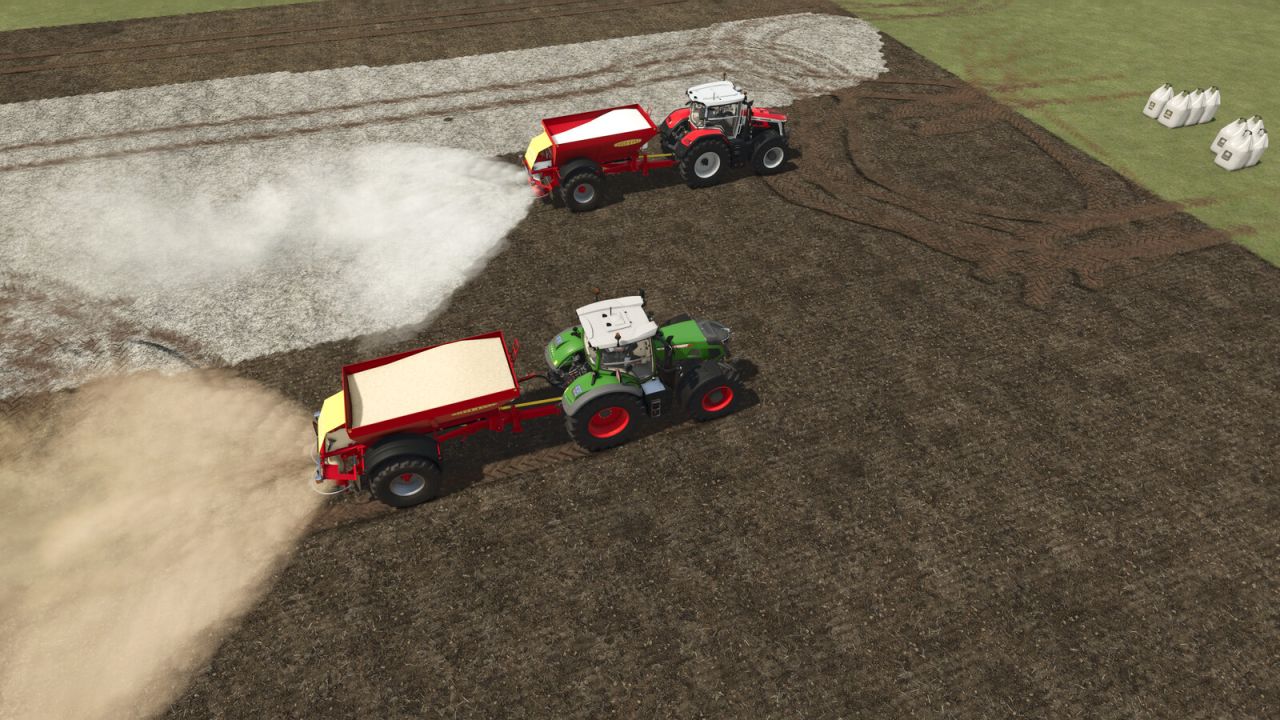
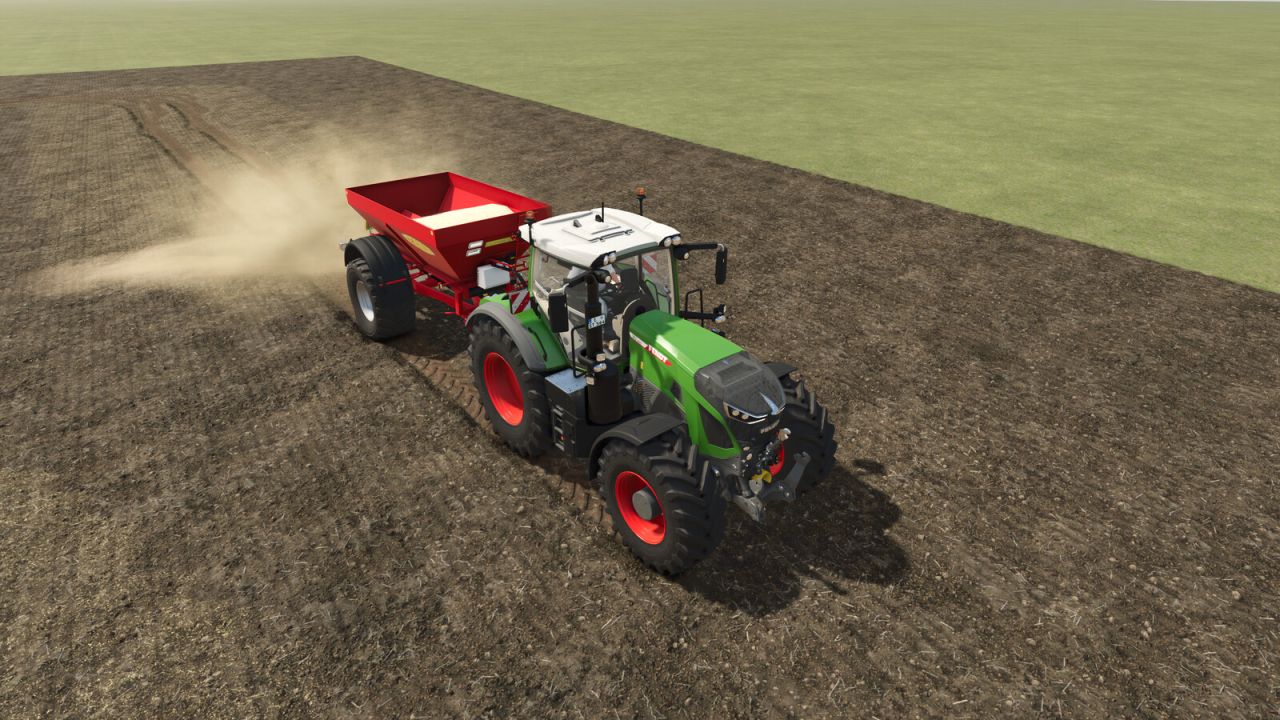
This prefab extends your own Farming Simulator 25 mod map with a complete lime fertilization system featuring two variants: classic lime and CarboLime from sugar production.
CarboLime is a real agricultural by-product of sugar beet processing. It works faster than standard lime, contains valuable additional nutrients (phosphate, magnesium) and is significantly cheaper – because it is produced as a waste product.
WHAT IS INCLUDED?
Vehicles & Objects:
– Bredal K105 lime spreader with native support for lime AND CarboLime (12m / 18m spread width)
– CarboLime BigBag (2000 L) – purchasable in the shop
– CarboLime Pallet (2000 L) – purchasable in the shop
– Multi-purchase of up to 8 units at once
Map & Technical:
– Custom ground texture after spreading (visible difference to standard lime)
– Custom spreading particle effect (beige/earthy instead of white)
– Custom FillPlane texture in the spreader tank
– CarboLime correctly removes the lime requirement
– Standard lime correctly overwrites CarboLime fields
REALISTIC VALUES:
– CarboLime: ~270 € / 2000 L (40% cheaper than lime – by-product)
– Spreading amount: 1.5x higher than standard lime
– Bulk density: 1.2 kg/L
FOR MAP BUILDERS:
Complete step-by-step guide included (PDF). All XML entries, paths and configuration are documented. Additional lime spreaders can be enabled easily via carboLimeVehicles.xml – without touching the Lua file.
IMPORTANT NOTICE:
carboLime.lua may be freely published and distributed in its unmodified form. However, any modified or derivative version may only be published with the explicit written consent of the author.
V1.0.0.2
Fixed folder name error in multiPurchaseBigBag_carboLime.xml (“carboLime” casing corrected)
Revised carboLime.lua – the configuration path is now detected automatically, regardless of whether the parent folder is named map, maps or scripts
[BG] Lahmi