FS25 AutoDrive Bilk V1.0.0.0

FS25 AutoDrive Bilk V1.0.0.0
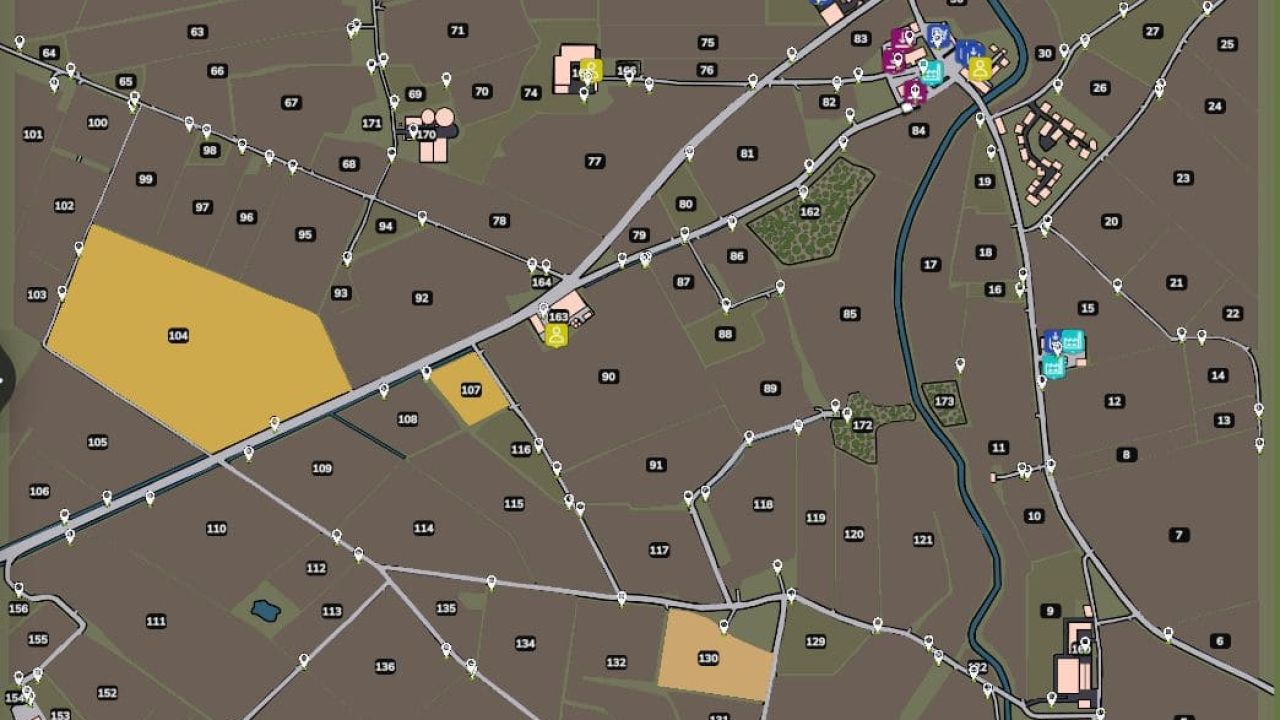
AutoDrive course for the “Bilk” map, completely self-driven and tested. Designed for larger tractor-trailer combinations like the Fendt 1052 + Fliegl ASW 391. Includes roads, field access points, production facilities, and points of sale. Enjoy!
AutoDrive course for Bilk
Good morning!
Thank you for your interest in my AutoDrive course for the beautiful map “Bilk” .
Having been able to use countless mods thanks to this website, it’s now time to give something back.
I personally drove the entire course myself and then tested it extensively. I used a Fendt 1052 tractor with a Fliegl ASW 391 as a reference vehicle .
Why this particular combination? Quite simply: it’s one of the tractor-trailer combinations I’ve used most frequently in my game and will likely use regularly on this map as well. At the same time, the size of the combination provides a good basis for creating sufficiently spacious routes even for larger machines. I can’t recommend combine harvesters with dual wheels here, partly because I haven’t tested that scenario.
Installation
Copy the included .xmlfiles into the folder of the respective save game.
Back up any existing AutoDrive configuration beforehand, just to be safe.
Replace existing files if necessary.
Start the game and drive off.
The corresponding save game folder is usually located at:
Dokumente/My Games/FarmingSimulator2025/savegameXX
When creating a new game save, the automatic course creation feature of AutoDrive should not be used if this course is subsequently to be imported.
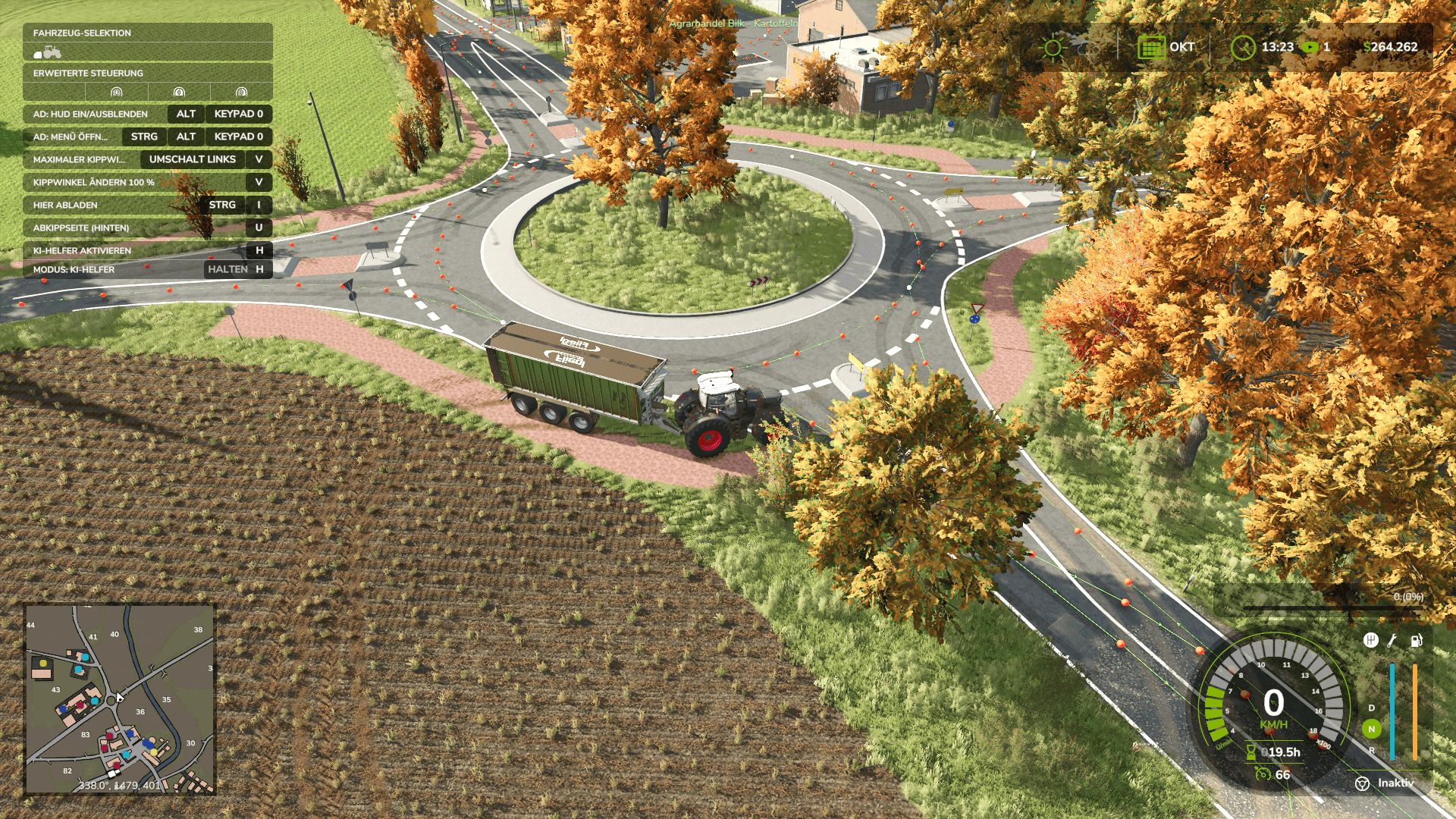
Information on the route network
When creating the course, I tried to keep as many different vehicle combinations in mind as possible. However, since my reference vehicle combination is relatively large, long, and wide, there are a few special considerations:
Vehicle size and curves
Some curves and field entrances are designed for my aforementioned vehicle combination and are therefore driven in with a correspondingly generous amount of clearance.
With significantly smaller vehicles – for example, a compact tractor with a small cultivator – AutoDrive may take an unnecessarily large line. This is intentional and, conversely, ensures that larger vehicles can also navigate the route with minimal problems.
Field entrances and field work
I created the course the way I play myself:
I let AutoDrive bring my vehicle combination to the respective field entrance, take over there myself, work the field and then reactivate AutoDrive on the road.
Some field entrances are therefore designed as one-way streets .
Therefore, my recommendation is:
After working in the fields, drive back onto the road and only activate AutoDrive there. Sometimes the system gets a little confused, causing AutoDrive to pick the wrong waypoint. Try enabling developer mode and have a look around.
Narrow field entrances
Some field entrances on the Bilk are quite narrow. For larger vehicles, I’ve therefore sometimes set the target points so that the vehicle comes to a stop sideways or across the field.
This is not a bug, but is intended to prevent AutoDrive from attempting to drive with a large trailer into areas where there simply isn’t enough space.
Several access roads to a field
Many fields have two or even more possible access points.
In most cases, I limited myself to what I considered the most conveniently located entrance. However, for some larger fields or special local conditions, I included additional access points.
Some of these routes lead through forests or along smaller side roads. I found some of these access routes simply too beautiful or interesting not to include in the route network.
Sales outlets and production facilities
Space is also very limited at some retail outlets and production facilities.
Where a safe automatic entry and exit with my reference vehicle combination was not practically possible, I therefore simply set a target point in front of or on the respective site.
In some cases, the site must be exited in reverse after unloading. A biomass power plant is one example of this .
With a smaller tractor-trailer combination – for example, a John Deere 6820 with a Kröger trailer of approximately 29 m³ – forward travel should be possible in some sections. However, I haven’t created a separate course for smaller combinations.
Course test
After completion, I drove the route network again in detail.
In doing so, I deliberately chose some rather unusual routes or routes that make little sense in normal gameplay, in order to test as many combinations of track sections as possible.
The goal was, in particular, to find the following errors:
unconnected points on the route
incorrectly set directions of travel
problematic intersections
Collisions
unfavorable curves
Unattainable goals
other errors in the route network
As things stand, the network should be fully functional.
Most traffic signs and similar objects on the map do not have collision detection. Therefore, I largely ignored them when entering the map and navigated the route accordingly.
Should you nevertheless discover collisions, unconnected points, incorrect directions, problematic destinations or other errors , I would appreciate a constructive comment with the most precise possible indication of the affected area.
Treckerreifen