FS25 Animal Husbandry Control v1.0.0.0

FS25 Animal Husbandry Control v1.0.0.0
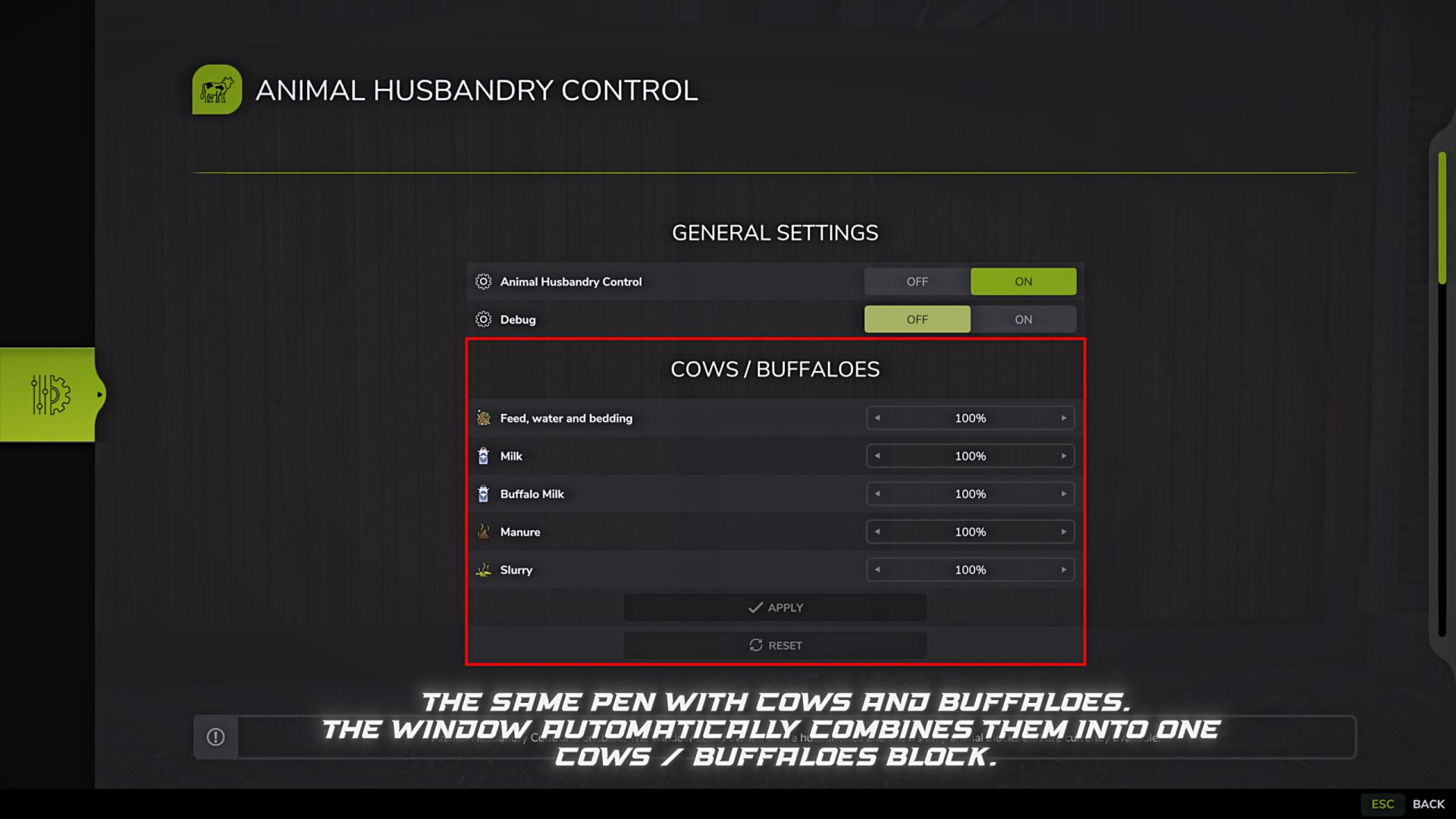
Animal Husbandry Control allows you to separately adjust consumption and production rates for different groups of animals.
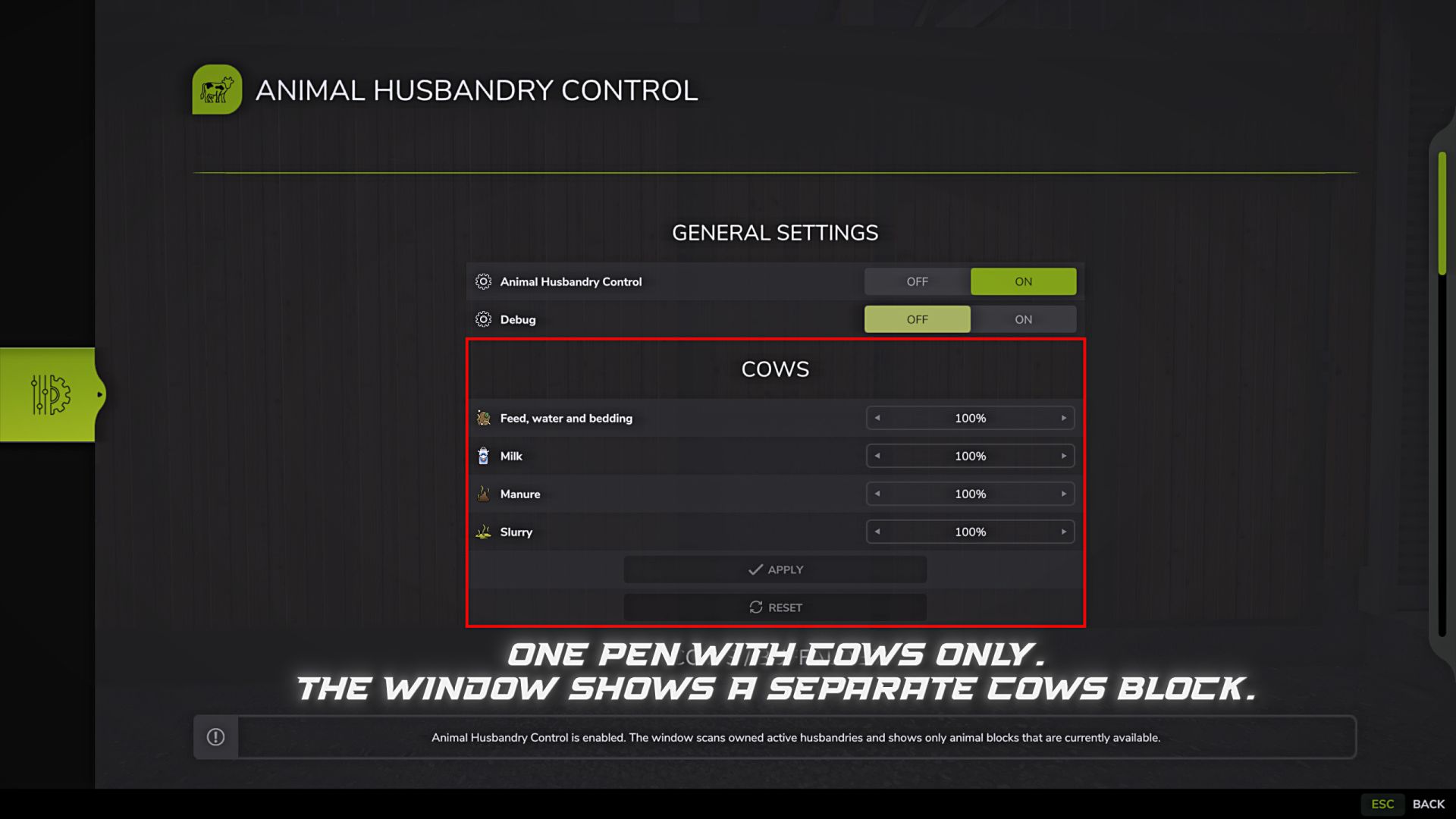
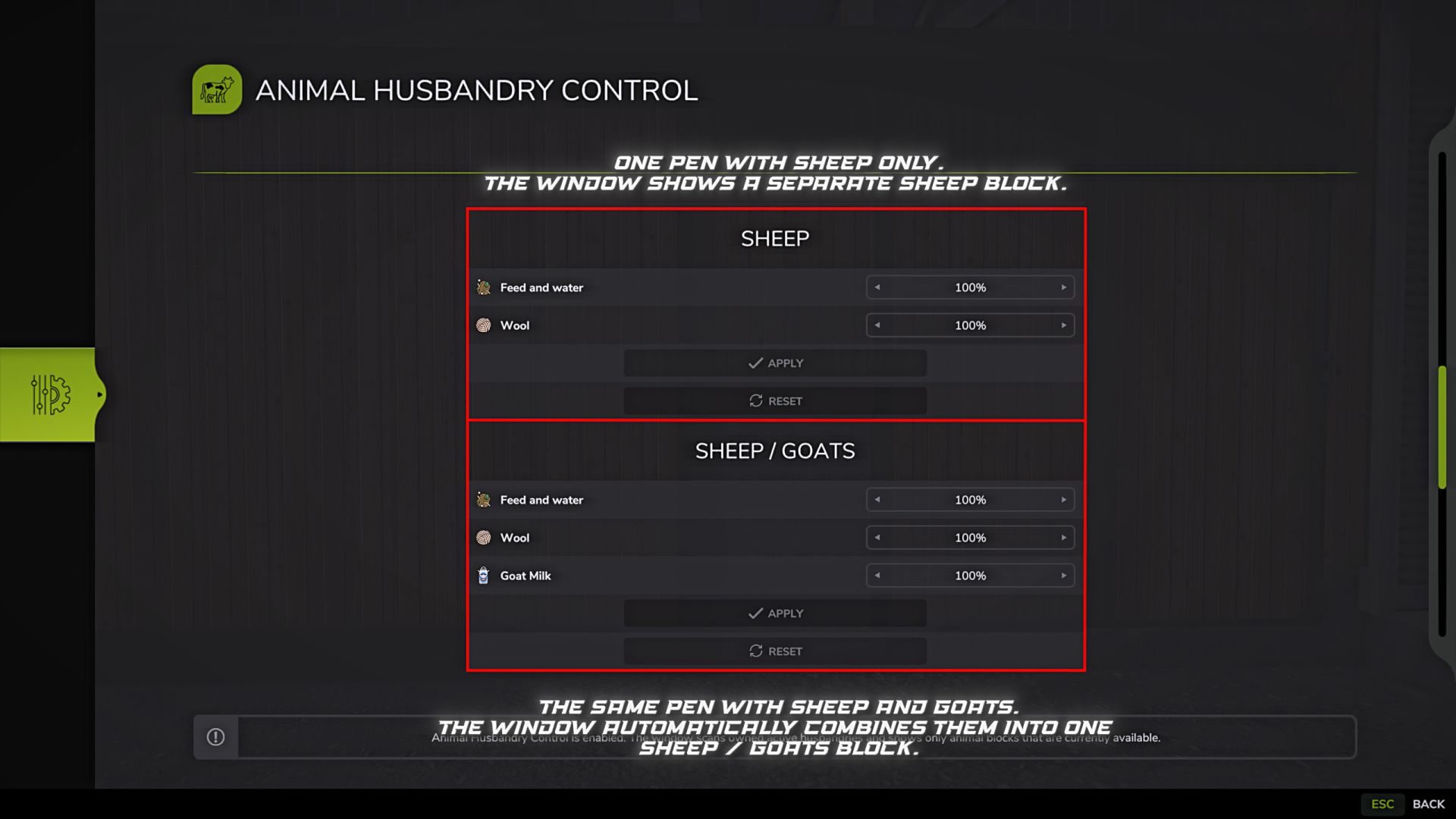
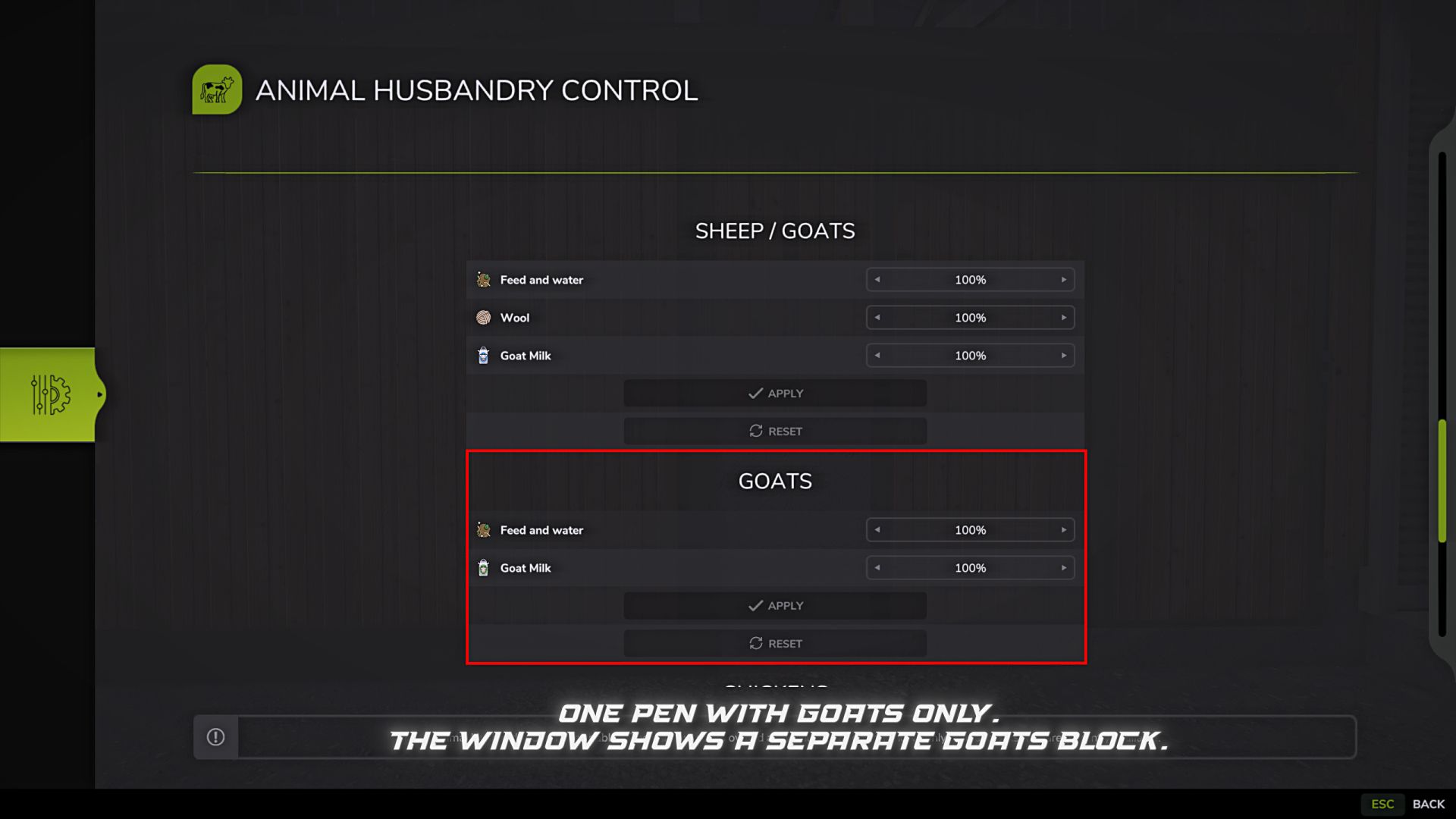
The mod adds its own settings window, which displays only those groups of animals that actually exist in the current save. If there are no animals, the window remains blank and displays a message that there are no animals available to configure yet.
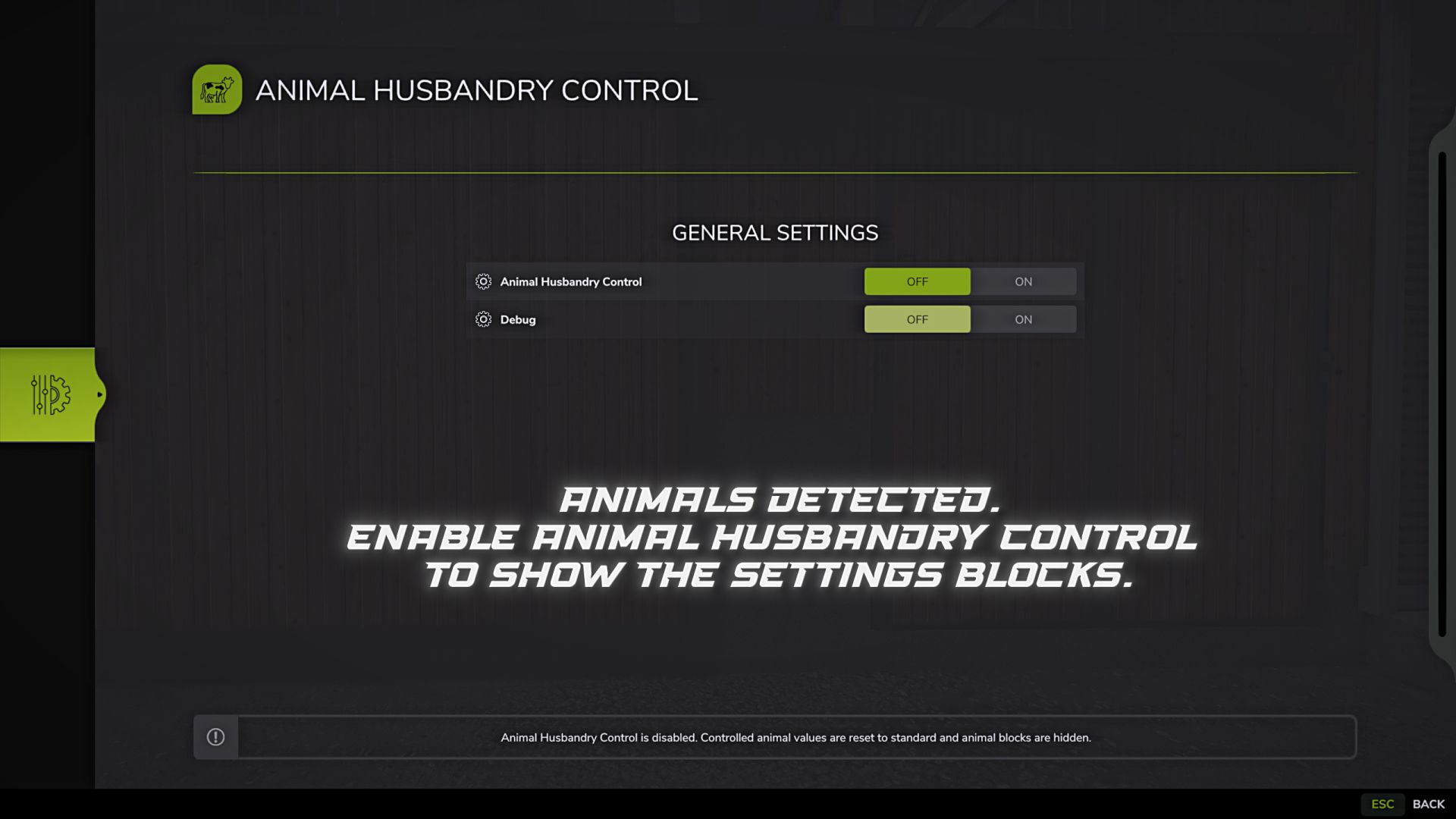
By default the mod is disabled. After purchasing animals, a general settings block appears where you can enable the mod and, if necessary, enable Debug.
Features:
– Separate consumption settings for different groups of animals.
– Separate product settings for milk, wool, eggs, manure and slurry.
– Dynamic display of only available animals.
– Support for mixed groups:
– Cows/buffalos.
– Sheep/goats.
– Separate blocks for single groups:
– Cows.
– Buffaloes.
– Sheep.
– Goats.
– Pigs.
– Chickens.
– Horses.
– Apply and reset buttons for each block.
– Settings are saved for the current save.
Example values:
– 50%: consumption or production is halved.
– 100%: standard game value.
– 200%: consumption or production is doubled.
– 500%: consumption or production is increased fivefold.
Management:
By default, the mod window opens with the F12 key.
The key can be changed in the game control settings. If a key binding is removed, the control bar in the F1 tooltip is hidden and the window is no longer opened with the old key.
General settings:
– Livestock control: turns the mod on or off.
– Debug: includes additional log messages to check if the settings have been applied.
If you turn off livestock control, the values are reset to default and the animal blocks are hidden.
Console commands:
The mod contains service console commands for testing and checking the settings. These commands are not intended for regular use in normal play.
– ahcValidateRates: checks the application of individual multipliers for found groups of animals.
The command temporarily compares the game’s default values to the mod’s values, checks consumption and production for the current farm’s active livestock buildings, and then restores the original settings. The report shows which parameters were changed correctly, which ones were not used, and what multiplier was obtained.
While ahcValidateRates is running, the game may freeze for a while. This is normal: the team collects data from active livestock buildings, temporarily compares standard values with test multipliers and generates a detailed report.The report is saved to the current save folder. The file is created next to the slot save and has a name like:
FS25_AnimalHusbandryControl_IndividualRateTest_001_200.txt
This command is only needed to check the operation of the mod, find errors and test new versions. You don’t need to use it for normal play.
– ahcFillAllTroughs: A test utility command that fills available feeders and resources at livestock buildings.
This command is only needed to quickly prepare test conditions. It is better not to use it in a normal game, especially if it is important to maintain fair consumption of food, water or other resources.
Important:
I mark the current version as BETA.
The main tests were successful: the settings are saved, loaded and applied correctly. Therefore, I don’t plan to actively develop the mod any further.
Freezes when opening a window, turning on a mod, applying or resetting values are possible. This is a feature of the current dynamic system: the mod checks which animals and livestock buildings are actually in the save and shows only the available blocks.
I decided to leave this option because it fits more accurately with different saves, maps and sets of animals. A static window would work faster, but it would show extra groups that may not even exist in the save.
Features:
– If you sell all the animals of a certain group, its block will disappear from the window.
– Saved values of this group do not transfer to other animals.
– If you later buy animals of the same group again, the previously set values will return.
– Values are saved when the game is saved.
– Settings do not apply to animals that are not in the current save.
Compatibility:
The mod is designed for standard Farming Simulator 25 animal systems and should work with maps and mods that use the game’s standard animal system.
If a map or mod uses a completely custom animal system, some parameters may not be detected or displayed in the window.
B1zaro