FS25 Adjust Storage Capacity V1.0.1.0

FS25 Adjust Storage Capacity V1.0.1.0
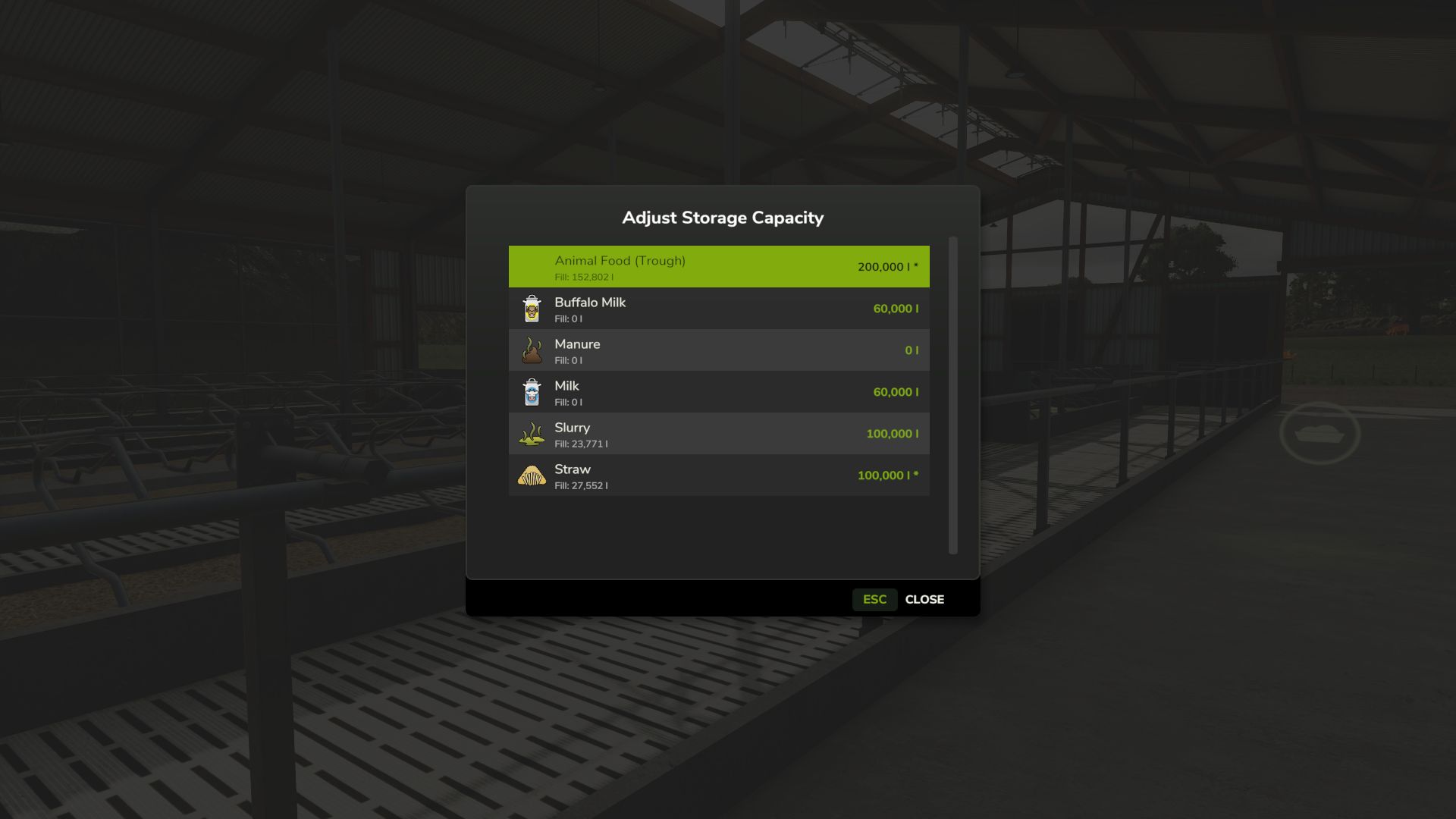
Need more room in your silos or trailers? Or want to limit storage for a challenge? Adjust Storage Capacity lets you customize storage capacities without editing XML files.
Optional auto-scale settings keep expanded vehicles drivable by adjusting mass and load/discharge speed proportionally.
Supports multiplayer with permission system.
In-Game GUI: Press K near any supported storage or vehicle, press K while driving to adjust your vehicle and implements, or use K in Production, Animals, Workshop, or Construction menus.
Only bulk storage is supported. No pallets or terrain heap-based storage.
Features
– Adjust capacity for silos, tanks, production storage
– Adjust animal husbandry storage (food troughs, input/output)
– Adjust vehicle capacities (trailers, harvesters, sprayers, tankers)
– Press K near storage/vehicle, while driving, or in Production, Animals, Workshop, Construction menus
– Per-filltype/fill-unit capacity editing
– “Reset All” button to restore original capacities
– Capacity protection: clamps to fill level to prevent data loss
– Auto-scale vehicle mass and load/discharge speed (optional)
– Optional setting to hide trigger shortcuts (menu access always available)
– Configurable key binding for opening dialogs
– Multiplayer support with permissions
Limitations
– Bunker silos not supported (terrain heap-based storage)
– Pallets and bales not supported (object storage)
– Vehicle pallets and big bags not supported (products, not containers)
– Leveler fill units excluded (internal buffers)
V1.0.1.0
– Fixed multiplayer: joining players now see the correct fill level for silos, productions, husbandries, and vehicles filled above their original capacity
– Fixed multiplayer: animal-food troughs now show the correct feed level for other players when filled above the original capacity
– Fixed shovels, loaders, and telehandlers reverting a raised capacity after scooping; it now sticks across save and reload
– Stopped offering the game’s auto-managed fill units for editing (baler bale chamber, net/twine/film slots, straw-blower buffer); additive tanks stay adjustable
– Made a stationary baler’s fixed material bunker adjustable again, and stopped listing collected-bale platforms (their capacity is a bale count, not bulk storage)
– Stopped listing count-based units on tree planters, feller bunchers, and bale carriers (saplings, trees, and bales are counted, not stored in bulk)
– Fixed savegames holding more than capacity (corrupt or hand-edited) getting stuck; the excess fill is now trimmed on load
– Fixed very large capacities (above ~2.1 billion) wrapping to negative values; capacity now caps at the maximum with a notification
rittermod