FS25 Adaptive Steering V1.1.0.0

FS25 Adaptive Steering V1.1.0.0
Steering that knows how fast you are going.
In the base game the wheels turn at the same rate when you are inching into a barn and when you are doing 50 km/h on the road. This mod ties steering speed to driving speed: quick and direct while manoeuvring, slow and precise at road speed. The wheel also returns to centre on its own, with an adjustable delay and ramp.
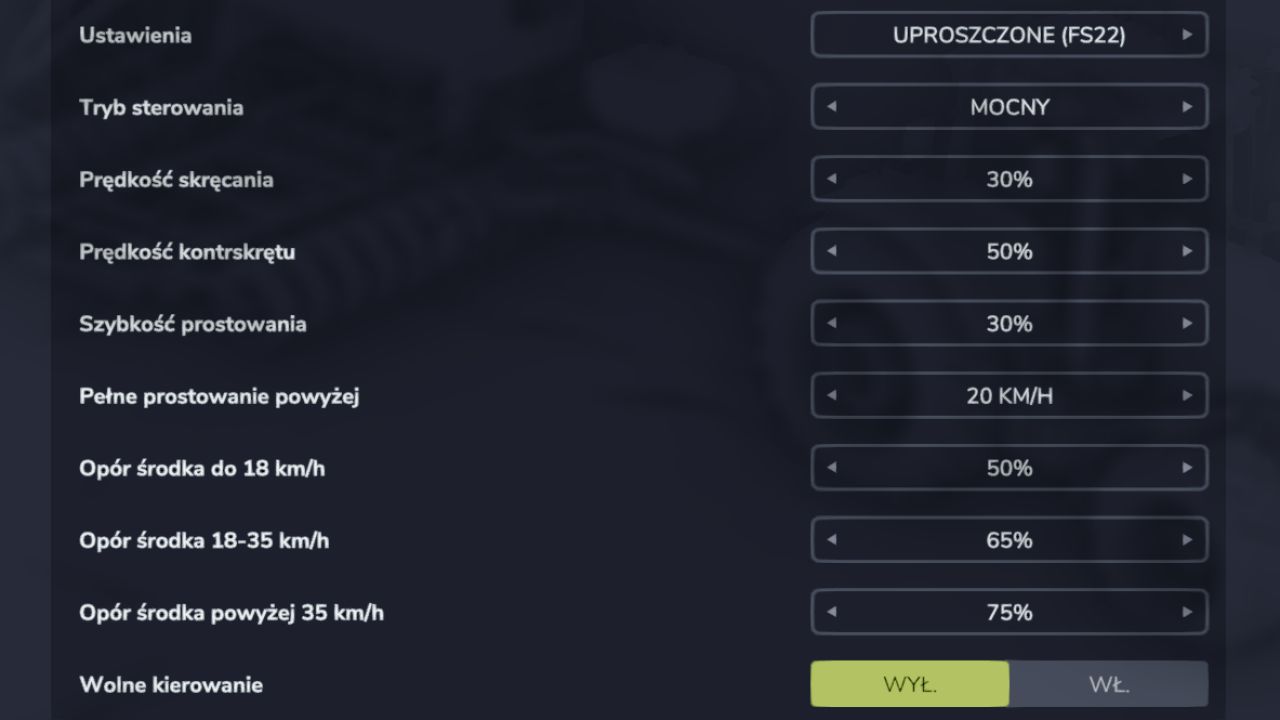
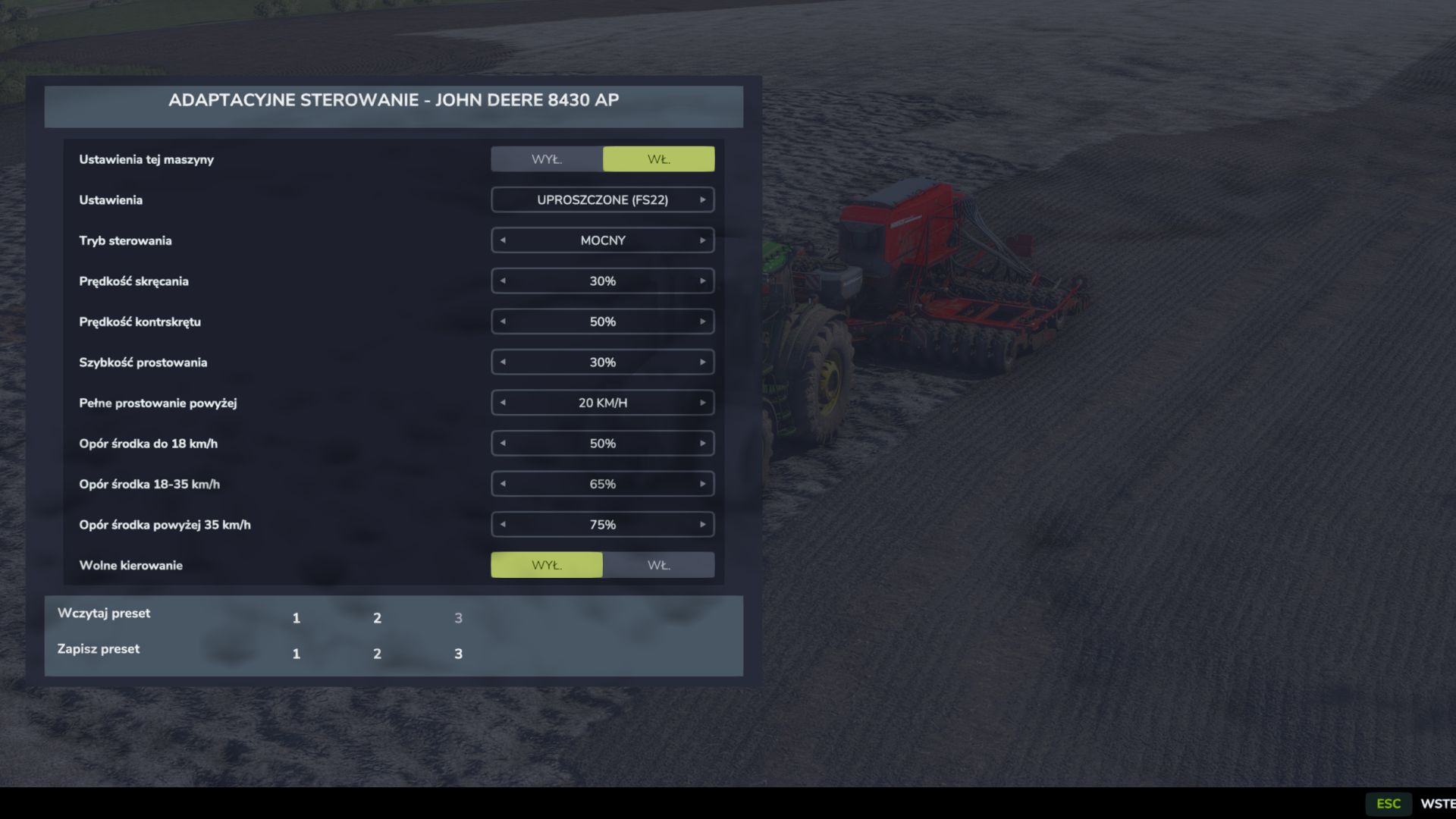
The simple view gives you the eleven settings you know from Farming Simulator 22: steering mode, steering and counter-steer speed, return strength, the speed at which full centring kicks in, centre resistance split across three speed bands (up to 18 km/h, 18–35 km/h and above), and free steering with no auto-centring at all.
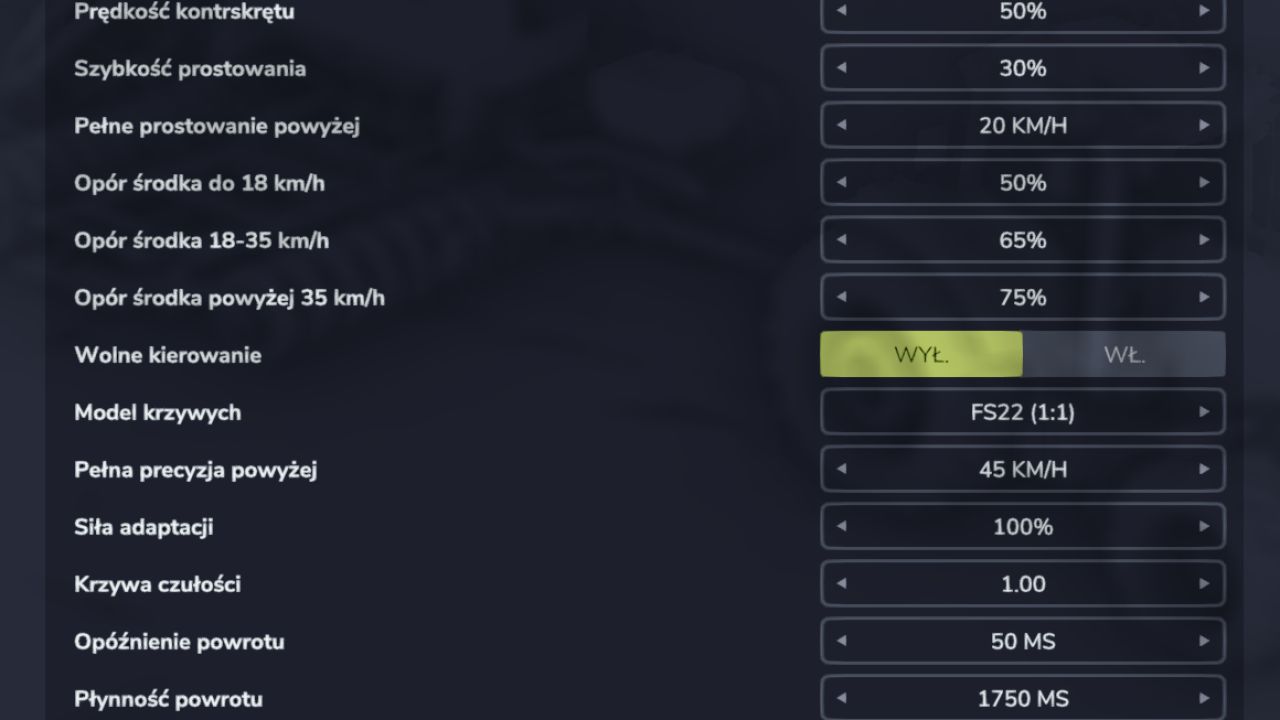
The advanced view adds nine more: sensitivity curve model (faithful FS22 or smoothed, with no jumps at the thresholds), full-precision threshold, adaptation strength, sensitivity, return delay and ramp, mouse handling and analog controller support.
Every machine can carry its own set of settings while the rest fall back to the global ones — just change anything while sitting in the vehicle and its own set switches on automatically. Settings attach to the machine model, so they survive across savegames. Three preset slots let you copy a tuned setup onto any machine in one click, with a confirmation prompt before anything is overwritten.
Everything is configured in a window under LAlt + C, no trips to the settings menu.
Single player only for now in BETA. Based on the adaptive steering from Vehicle Control Addon by mogli.
V1.1.0.0
Look
The window was rebuilt to match the native Farming Simulator 25 dialogs same frame, header and separators the game uses.
The view switch became a SIMPLE / FULL tab strip at the top of the window.
Preset buttons now have proper frames and sit under the settings column instead of floating as bare digits.
Fixes
Presets saved to slot 2 or 3 disappeared after restarting the game. This bug was present in 1.0.0.0 since release. Save those presets again after updating the old entries were lost with the settings file.
LAlt + C could only open the window, never close it.
After returning to the menu and loading a different savegame, the window stopped opening until the game was restarted.
Settings saved for a machine could be wiped with a single click, with no warning and no way back. The mod now asks for confirmation.
Tooltips described the steering modes using names that do not appear in the window.
The game log reported a failed hotkey registration even though the hotkey worked.
Performance
Steering overhead on maps with many vehicles is dozens of times lower per-vehicle data is now resolved once instead of every frame for every vehicle.
Loading a preset writes the settings file once instead of a dozen times in a row.
FS4FUN