FS25 Quick Vehicle Select V1.0.0.1

FS25 Other

FS25 Quick Vehicle Select V1.0.0.1
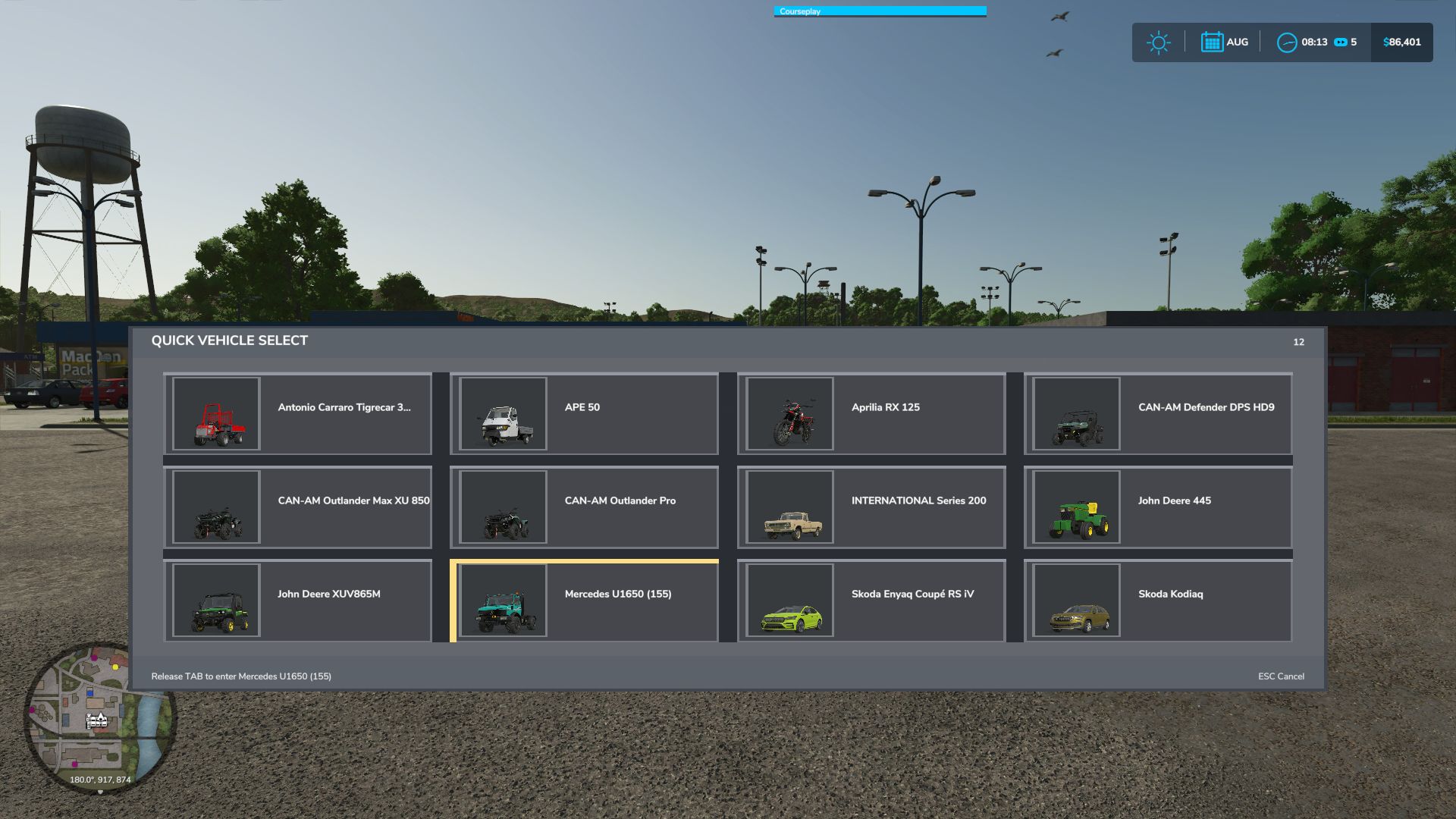

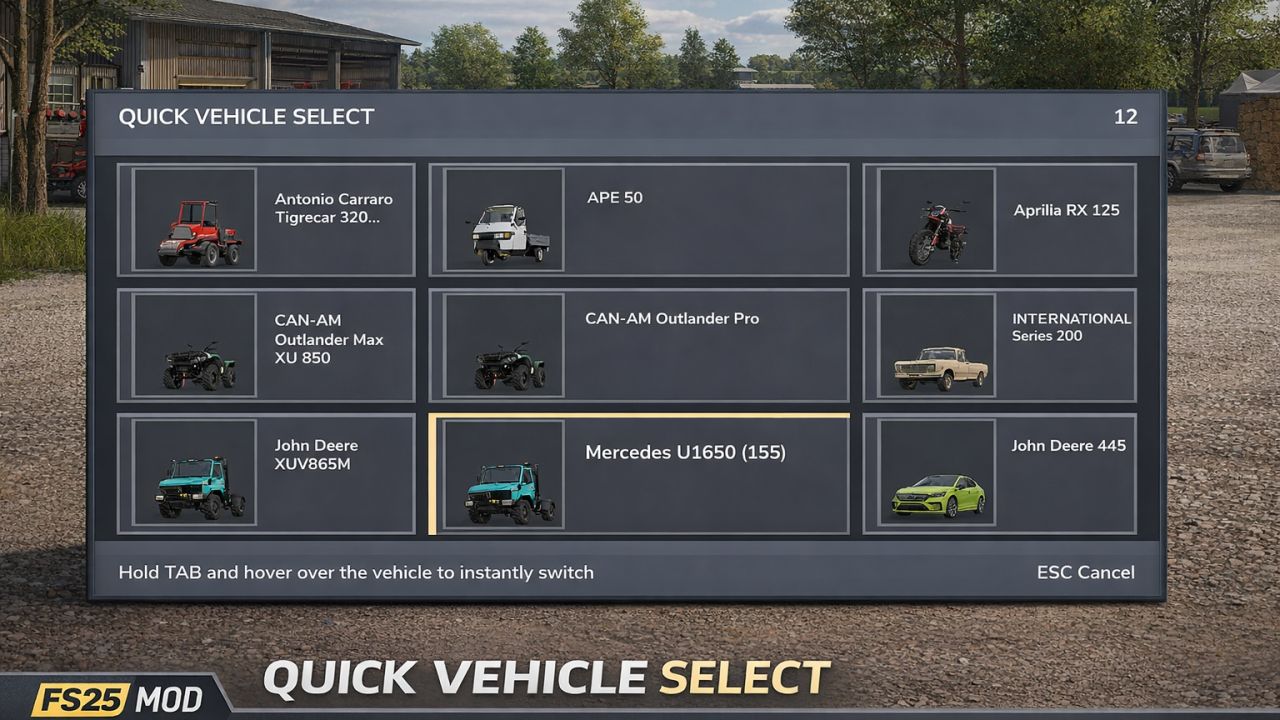
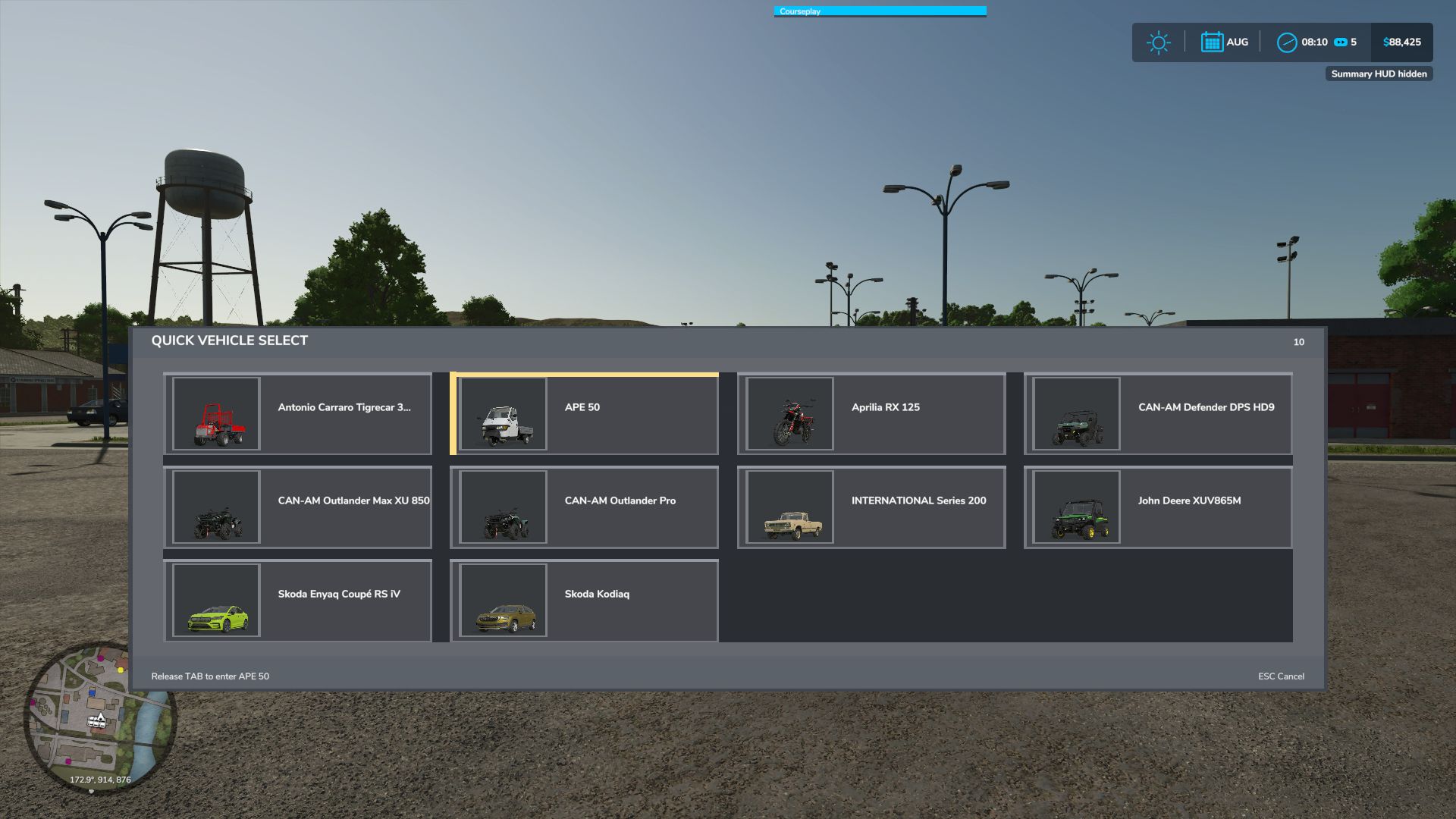
Quick Vehicle Select makes switching vehicles faster and cleaner.
Hold TAB to open the vehicle selector, move your mouse over the vehicle you want, and release TAB to switch instantly. The menu shows all available vehicles in a simple grid with thumbnails when available, works both on foot and while inside a vehicle, and locks movement while the selector is open so selection feels smooth and controlled.

Features:
Hold TAB to open vehicle selector
Hover-based vehicle switching
Works on foot and inside vehicles
Vehicle thumbnails shown when available

This mod is designed to make changing vehicles feel quicker and more natural without opening a full garage menu.
Any issues or suggestions, post them below.

V1.0.0.1
– movement disabled while in vehicle

Credits:
plutogaming91


What is this Farming Simulator 25 / 22 mods use for:

Farming Simulator game is so great that is hard to believe that it could be even greater. However, it can be if you play this game with mods! You can have more fun simply installing Farming Simulator 25 mods / Farming Simulator 22 mods. The game became so popular because of supporting mods! What is more, all FS25 mods / FS22 mods are completely free. Every mod has different designation and when there’re so many of them, until you’ll try it you can only imagine what the limits of this game are. So many improvements new tractors and more are waiting for you until you download all of Farming Simulator 25 mods / Farming Simulator 22 mods. Create your own combination of FS 25 mods / FS 22 mods and see how it works in game. Maybe you’re the one who will create a perfect game which doesn’t have any issues. So why don’t you try. Download and install these LS 25 mods / LS22 mods and create your Farming Simulator 25 / Farming Simulator 22 game. Welcome to the biggest Farming Simulator modding community! If you like this mod, please comment bellow.


Best FS25 Other mods

Leave a Reply

Do you need any help or to say thanks to the mod author? Just leave a comment below!