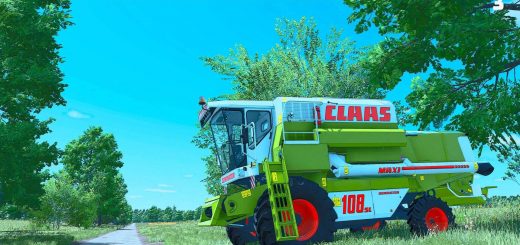
FS25 Adjust Animal Food V0.11.0


FS25 Adjust Animal Food V0.11.0
Why shouldn’t chickens eat oats if you want them to? Or grass have 100% effectiveness for cows?
This mod gives you control over food effectiveness, crop assignments, mixed feed recipes, and TMR compositions.
v0.11.0.0 – switch consumption type
What’s Changed
Change animal feeding behavior between SERIAL and PARALLEL consumption modes
Reorganized XML documentation with brief readme and comprehensive guide at end
Quick-start examples for common customization tasks
Improved XML readability with cleaner configuration section
v0.10.0.0 – add new food groups/ingredients
Added custom content support: add food groups to animals, ingredients to mixtures and recipes
XML order preserved for food groups (affects UI display)
Automatic validation and normalization of custom content
Full compatibility with map-added content
0.9.0.0:
What’s Changed
Added disabling feature for food groups and ingredients
Generated XML files now include inline documentation and examples
Disabled items are preserved in XML across save cycles
Automatic weight/ratio normalization when items are disabled
0.8.0.0:
Added multiplayer support
Improved code stability and performance
Bug fixes and optimizations
Features:
Animal Food Control: Modify food group effectiveness (productionWeight) and consumption preferences (eatWeight) for all animal types
Custom Crop Assignments: Add or remove crops from any food group (e.g., add oat to chicken feed, allow cows to eat alfalfa silage)
Mixed Feed Customization: Adjust ingredient proportions and crop types for mixed feeds like pig food
Recipe Control: Customize recipes with precise min/max percentage ranges for each ingredient
Schema-Validated Configuration: Uses the game’s built-in AnimalFoodSystem schema for robust, error-checked XML handling
Intelligent Merging: Your XML overrides customizations while automatically adding new content from mods or game updates
Per-Savegame Configuration: Each savegame gets its own XML file for independent customization
Automatic Updates: Configuration file is automatically updated with any new content on each load
Notice:
This mod is in beta. Please back up your savegames before use.
Customizations are done by editing an XML file generated in your savegame folder. No in-game UI is provided.
Customize aspects of animal feeding without modifying map files:
Food effectiveness (productionWeight, eatWeight)
Which crops belong to each food group (fillTypes)
Mixed feed recipes and ingredient proportions
TMR/forage recipe compositions and ranges
Usage:
Configuration file (aaf_AnimalFood.xml) is automatically created in your savegame folder on first load.
Exit the game and locate the XML file in your savegame directory.
Edit the XML to customize your animal feeding system.
Changes take effect on every savegame load as long as the mod is active and the XML file is present.
rittermod