FS25 Additional Inputs V1.0.0.0

FS25 Additional Inputs V1.0.0.0
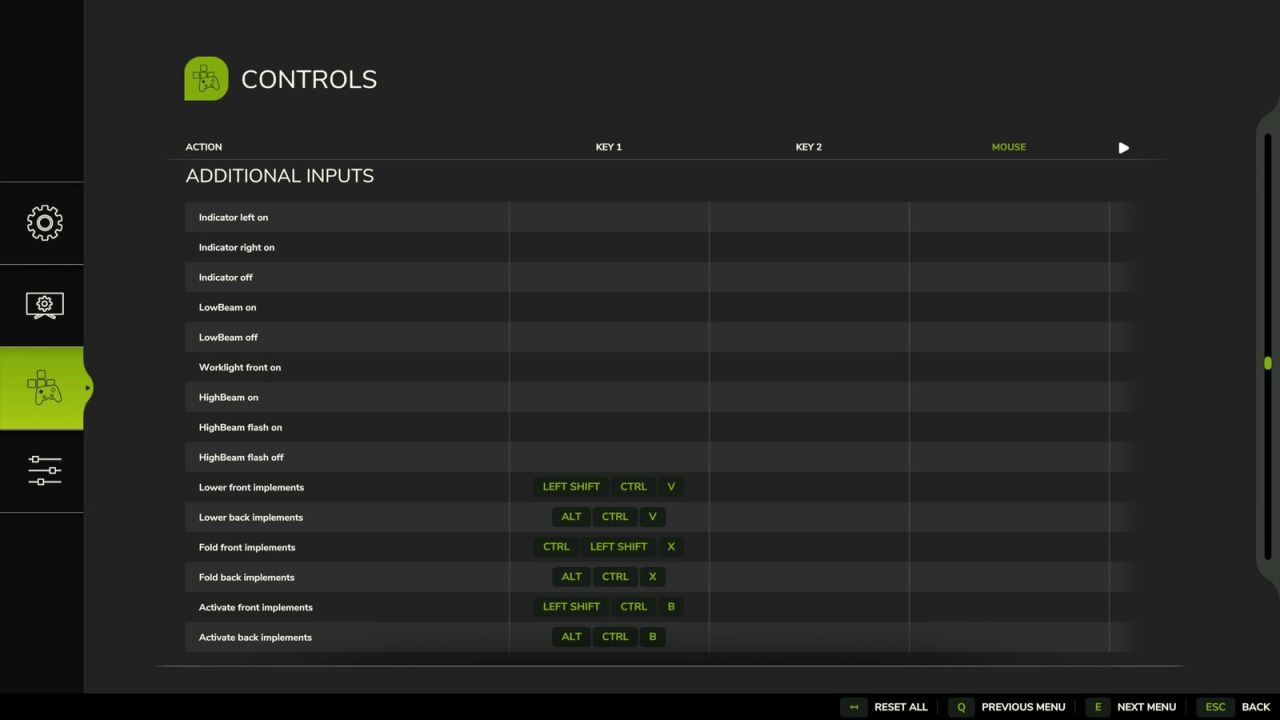
Additional Inputs enhances your vehicle control in FS25 by adding explicit keybindings designed for realistic hardware setups,
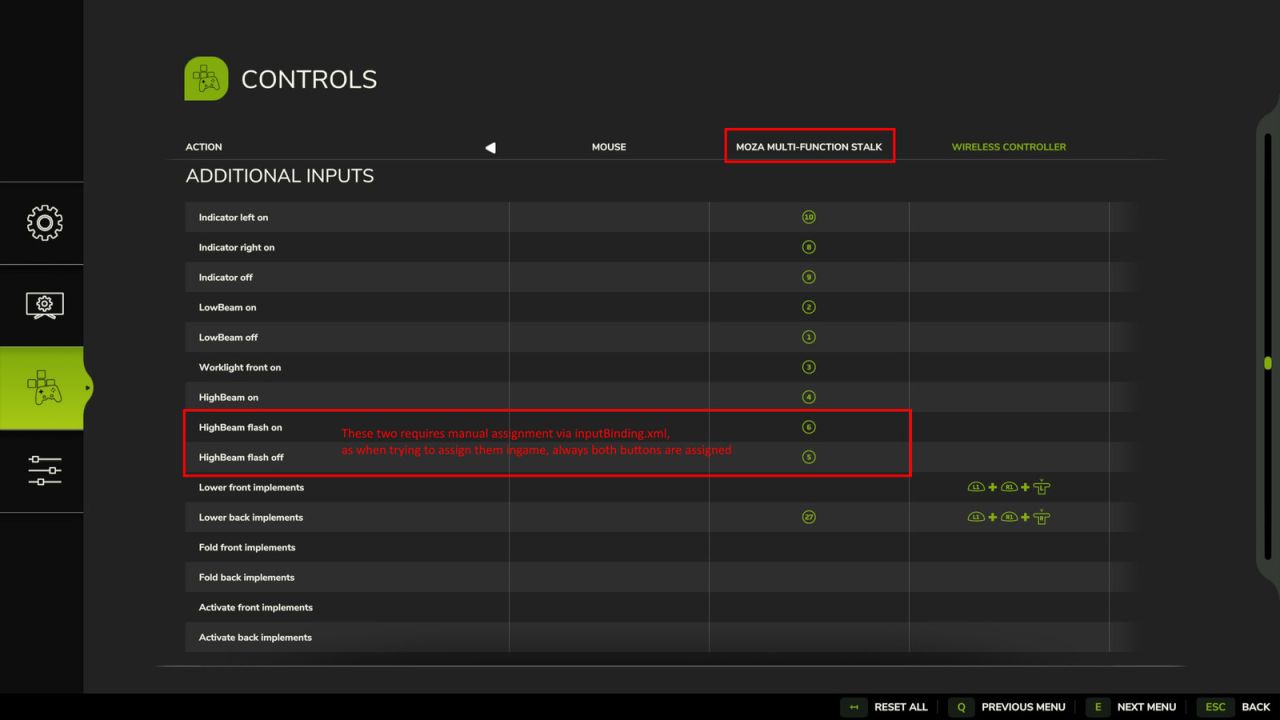
such as the Moza Multi-function Stalks. This mod introduces authentic turn signal logic with comfort blinking (tip blink),
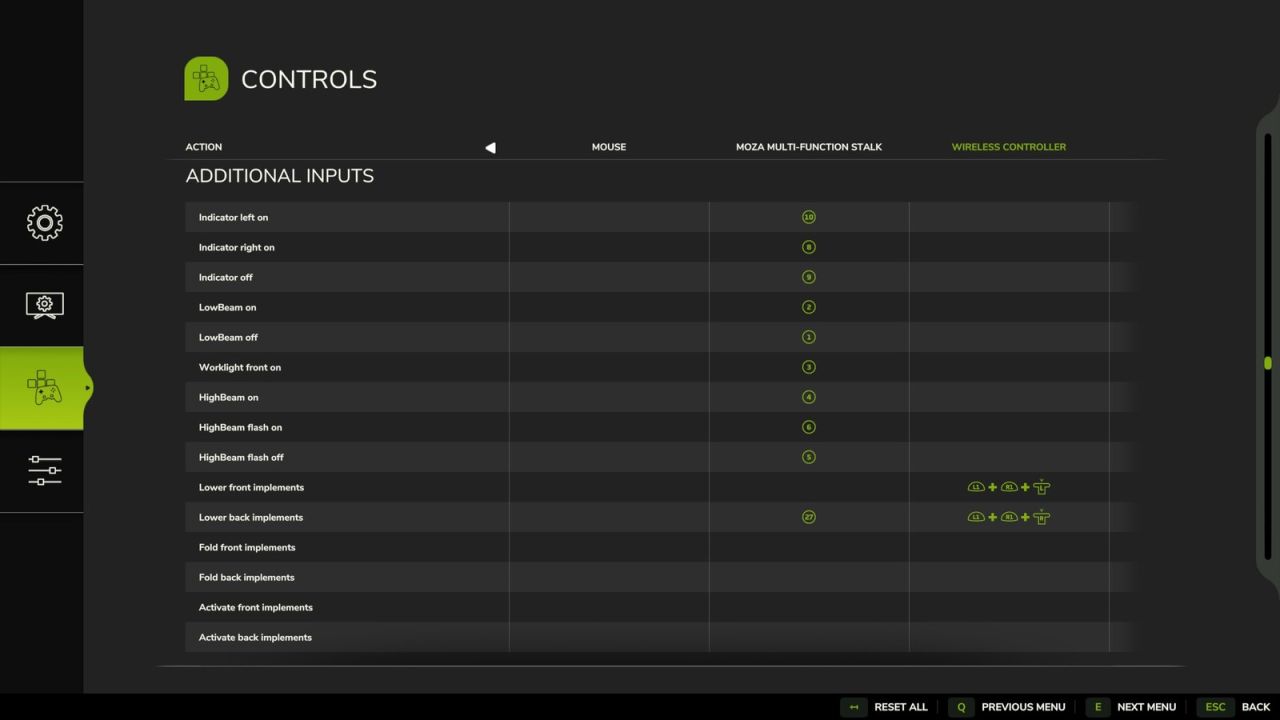
discrete controls for headlight and worklight stages, and dedicated inputs to Fold, Lower, and Activate implements
independently based on their front or back position without needing to select them first.
Features
Indicators / TurnSignal
Adds explicit inputs for indicating left / right and one for turning them off. Similar how an indicator lever in a car
works. Also adds the tip blink / comfort indicators functionality. If after the on signal an off signals follows within
500ms, the tip blink is activated.
If the hazard light is on, it has priority. These added inputs cannot turn of the hazard lights.
Lights
Adds new controls for normal front light on and off, also one for worklight front on.
The front light on action will also turn off the work light front. As this works best for me and the Moza Multi function
stalks. Translation from Moza Stalk lever turn to FS25
OFF -> Front lights OFF
Parking light -> Front lights ON
Front light -> Worklight Front ON
Also adds three additional Inputs related to the High Beam. One to turn the high beam on, one to trigger the high beam
flash (and also turn of the High Beam if turned on before) and one to release the flash.
Implements
Add Fold, Lower, and Activate inputs for implements attached at the front or back. They are not bound to the
current selected part of the vehicle.
More information regarding setup with Moza Stalks can be found on Github.
There you also find a detailed Table describing each input in detail.
Please report feedback or issues on Github.
VertexDezign