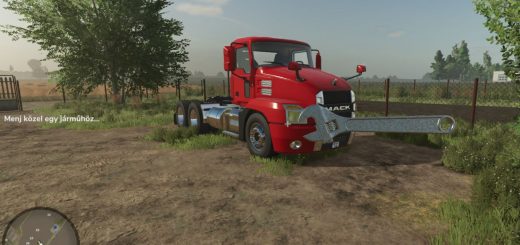
FS25 GPS Course Manager v1.0.0.0


FS25 GPS Course Manager v1.0.0.0
Installation
Place `FS25_GPSKursManager.zip` into your mods folder (for dedicated servers: upload and activate via the web interface).
In multiplayer, all players must have the mod installed (it will be distributed automatically by the server).
Key Binding
Go to Options > Controls and assign a key for “Open GPS Course Manager.” There is no default key assigned.
The key works both on foot and while in a vehicle.
Usage
On foot or in a vehicle without a guidance system: View the list, share, or delete courses.
In a tractor equipped with a guidance system, you can also: Save, load, or release courses.
Save: With the guidance system active and a course displayed in the field, open the window, select “Save,” and enter a name.
If the name already exists, you will be prompted to confirm whether you want to overwrite it.
Load: Select a course from the list and choose “Load.” The course will be applied to the current tractor and locked.
An implement that supports the guidance system must be attached.
Delete: Select a course, choose “Delete,” and confirm.
Share: Select a course, choose “Share,” select the target farm, and click “OK.”
The other farm will receive its own copy (subsequent changes to the original course will not be synced).
If a course with the same name already exists on the target farm, it will automatically be renamed to “Name (Farm Name).”
Players from the target farm who are online will receive a notification.
Release: Removes the lock, allowing the Giants guidance system to perform its own calculations again.
Only the “Release” action removes the lock. Clicking “OK” within the Giants guidance system dialog (e.g., after changing implements to re-select the guidance mode) will keep the course active and display a notification.
What “Locked” Means
By default, the Giants system recalculates the course whenever the implement’s working width changes. A loaded course, by contrast, remains active as long as you are on the current field.
If you move to a different field, the game (Giants engine) handles operations there as usual; once you return to the original field, the previously loaded course is available again.
The lock persists even after a server restart.
Farm Association
Courses are tied to a specific farm. Every player belonging to that farm can view, load, and delete these courses—from any tractor associated with that farm.
Other farms cannot see these courses. The server manages the access validation.
Storage Location
`<Savegame folder>/gpsCourseManager.xml` (written whenever a course is saved or the game state is saved).
For a new savegame that has never been saved before, the file is created only after the first save.
Angle
The working direction in the Giants dialog can now be adjusted in 1° increments (0–179°).
When used in conjunction with `FS25_gpsAngleExtension`, both lists are merged incorporating all whole-degree values alongside specific map-based angles (e.g., 22.5°). There are no conflicts.
Waffle